



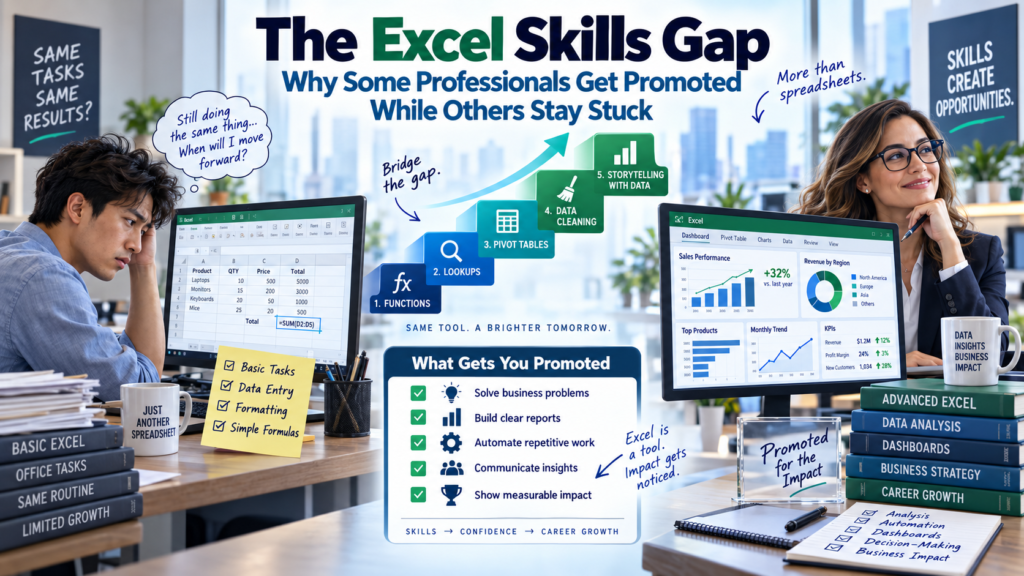
Two employees start on the same team, with the same job title, the same year. Three years later, one is managing a department and the other is still doing the same tasks they started with. Talk to enough hiring managers across Australia and the same explanation comes up again and again: the excel skills gap. It is rarely about who works harder. It is about who can turn raw data into a decision a manager can act on in the next five minutes and who still needs someone else to build that spreadsheet for them.
The excel skills gap is not a myth used to sell training courses. It shows up in promotion panels, in performance reviews, and in the quiet moment when a manager hands a messy dataset to one person on the team instead of another. This article breaks down exactly what separates the two groups, why the gap is widening in 2026, and what closing it actually looks like.
What Is the Excel Skills Gap, and Why Is It Widening in 2026?
The excel skills gap describes the widening distance between employees who use Excel as a basic data-entry tool and employees who use it as a decision-support system. Most professionals learned Excel by accident a few formulas picked up on the job, some formatting tricks copied from a colleague. That level was enough a decade ago. It is no longer enough in a workplace where AI tools like Copilot in Excel, Power Query, and Power BI have raised the baseline for what “good with data” actually means.
According to workplace research on digital skills demand, employers increasingly rank data and spreadsheet fluency among the most in-demand capabilities for office roles see the World Economic Forum’s Future of Jobs analysis for the broader trend. The gap widens every year that basic-level Excel users don’t upgrade their skill set, while advanced users keep compounding theirs.
This is the core of the excel skills gap: it is not a one-time hurdle. It is a moving target, and the professionals who stay stuck are usually the ones who assume their Excel skills from five years ago are still current.
The Two Career Paths: Promoted vs. Stuck
Every workplace has two versions of the same job. One version treats Excel as a place to record numbers. The other treats it as a place to answer questions why did revenue drop in one region, which suppliers are costing the most, where is the bottleneck in the process. The table below shows how the excel skills gap plays out in practice.
| Skill Area | Professionals Who Get Promoted | Professionals Who Stay Stuck |
| Formulas | XLOOKUP, INDEX/MATCH, IFS, nested logic | Basic SUM, AVERAGE, manual copy-paste |
| Data Cleaning | Power Query to automate cleanup | Manual find-and-replace, hours lost weekly |
| Reporting | PivotTables and dashboards that update live | Static tables rebuilt from scratch each month |
| Decision Support | Builds the model leadership uses to decide | Waits to be told what the numbers mean |
| AI Fluency | Uses Copilot in Excel to speed up analysis | Unfamiliar with AI-assisted spreadsheet tools |
7 Excel Skills That Separate Promoted Employees From Everyone Else
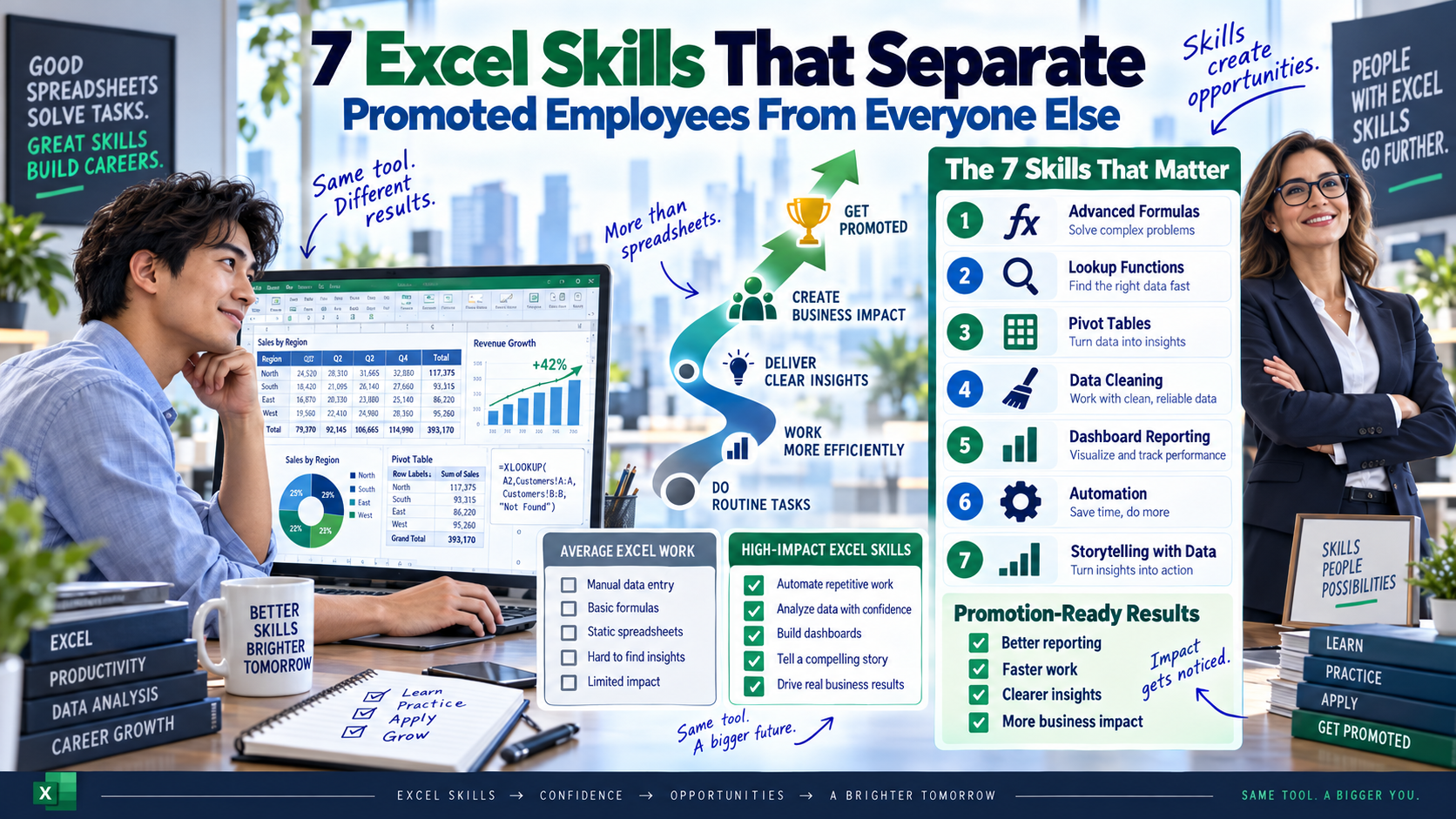
Closing the excel skills gap starts with knowing exactly which skills matter. These seven show up consistently in the profiles of professionals who move up:
- XLOOKUP and INDEX/MATCH pulling accurate data across large, messy sheets without breaking formulas.
- PivotTables summarising thousands of rows into a report a manager can read in thirty seconds.
- Power Query cleaning and merging data from multiple sources automatically, instead of by hand.
- Nested IF/IFS and logical formulas building decision rules directly into a spreadsheet.
- Data validation and error-checking producing numbers people can trust without double-checking.
- Charting and visual storytelling turning a table of numbers into a chart that makes the point instantly.
- Copilot in Excel and AI-assisted analysis using AI to speed up modelling, not replace understanding of the data.
How the Excel Skills Gap Shows Up Across Australian Workplaces
Recruiters in Sydney, Melbourne, Brisbane, Perth, Adelaide, and Canberra report the same pattern across finance, operations, marketing, and HR roles: the candidates who progress fastest are the ones who can demonstrate practical Excel skills in an interview, not just list “Excel” on a résumé.
In Sydney, finance and banking teams increasingly test XLOOKUP and PivotTable skills during hiring rounds. In Melbourne, marketing and analytics roles now expect comfort with Power Query for campaign reporting. In Brisbane, operations and logistics employers look for professionals who can build live dashboards rather than static spreadsheets. In Perth, resources and mining-adjacent businesses value error-proof, audit-ready models. In Adelaide, growing SME and government-adjacent teams reward staff who can self-serve reporting without IT support. And in Canberra, public sector and policy roles increasingly list data literacy, including Excel and Power BI, as a core selection criterion.
The pattern is consistent nationwide: the excel skills gap is not a Sydney problem or a Melbourne problem. It is an Australia-wide shift in what “competent” looks like in an office job.
Why the Gap Keeps Widening Instead of Closing
Most professionals don’t fall behind because they lack ability. They fall behind because their Excel learning stopped the day they felt “good enough” at their job. Meanwhile, the bar keeps moving: AI-assisted formulas, automated data pipelines, and live dashboards are now standard in many roles. Waiting for a manager to notice and offer training rarely works — by the time a skills gap becomes visible in a performance review, a colleague has usually already closed it.
How to Close the Excel Skills Gap Fast
The good news: unlike many career gaps, the excel skills gap is one of the fastest to close with focused, practical training. It does not require a multi-year degree it requires targeted practice on the exact skills employers test for.
- Audit your current skill level honestly against the seven skills listed above.
- Prioritise PivotTables, XLOOKUP, and Power Query first these appear most often in real job tasks.
- Practise on real, messy datasets, not clean textbook examples.
- Learn Copilot in Excel alongside traditional formulas, not instead of them.
- Get structured, instructor-led training rather than piecing skills together from scattered tutorials.
A structured Excel course is the fastest way to close the gap in weeks rather than years, because it targets exactly the skills covered above instead of leaving you to guess which formulas actually matter on the job.
For professionals whose roles increasingly overlap with data visualisation, pairing Excel with a Power BI course builds the reporting and dashboard skills that hiring managers now expect alongside core spreadsheet ability.
For a broader view of how to escape a plateau, see our earlier guide on why your Excel skills are holding back your career, and the follow-up on why being “good at Excel” is costing you career opportunities, which covers the career-plateau trap in more detail.
If you’re preparing for interviews, our Excel interview questions and answers guide walks through the exact live tasks employers use to test candidates.
All Excel and Power BI training is delivered as part of Logitrain’s Australia-wide IT and business skills training programs, with instructor-led options for professionals nationwide.
Frequently Asked Questions
What is the excel skills gap?
It’s the growing difference between employees who use Excel for basic data entry and those who use it for analysis, automation, and decision support a gap that increasingly determines who gets promoted.
How long does it take to close an Excel skills gap?
Most professionals can close the core gap PivotTables, XLOOKUP, and Power Query within a few weeks of structured, hands-on training.
Is Excel still relevant with AI tools like Copilot?
Yes. Copilot in Excel speeds up analysis, but it still requires a solid understanding of formulas and data structure to use effectively and check its output.
Final Word
The excel skills gap is one of the most fixable barriers to promotion in Australian workplaces today. It doesn’t require a new degree, a new job, or years of waiting it requires identifying the exact skills employers reward and practising them deliberately. The professionals who close that gap tend to stop waiting for opportunities and start being the ones handed them.