

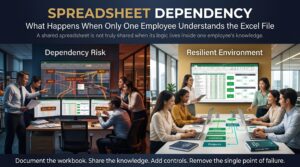


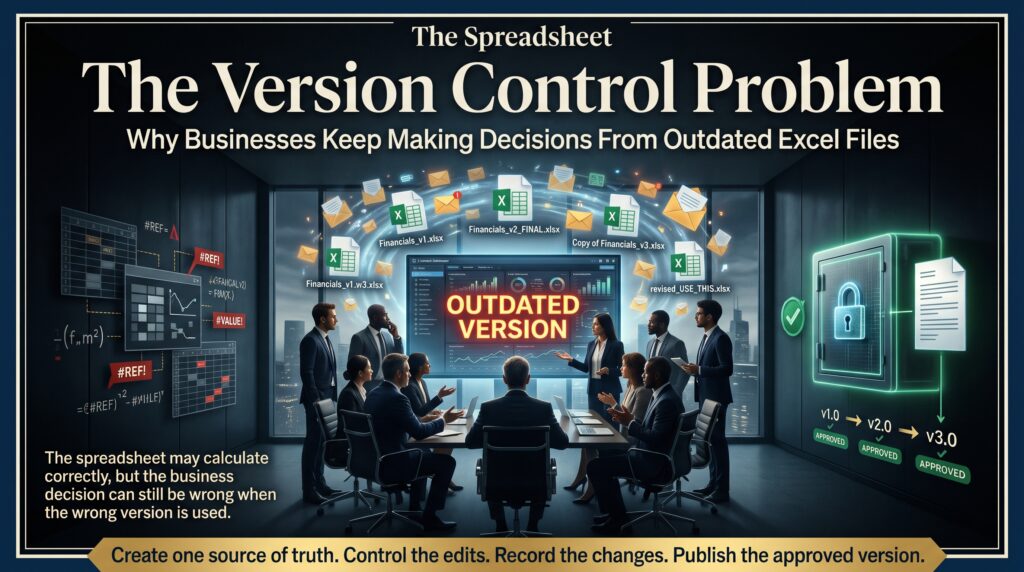
The spreadsheet version control problem starts with a harmless-looking file name. Budget_FINAL.xlsx becomes Budget_FINAL_v2.xlsx, then Budget_FINAL_v2_revised_JM.xlsx, and by the end of the quarter nobody is sure which one the leadership team actually approved. Meanwhile, a manager somewhere is reading last month’s copy from their email and making a hiring decision from it. This guide explains what the spreadsheet version control problem is, why it keeps happening in Australian workplaces, what it costs, and how to fix it with simple habits, the right tools and practical Excel courses online.
What Is the Spreadsheet Version Control Problem?
The spreadsheet version control problem is the confusion that appears when several copies of the same Excel workbook circulate at once, and people cannot tell which one is current, correct or approved. It is not only about having too many files. It is about losing the single source of truth that every report, forecast and decision depends on.
Software developers solved a version of this years ago with dedicated tracking tools. Most business spreadsheets have no such system. They live in inboxes, desktops, USB drives and shared folders, and they are copied, edited and renamed by whoever needs them next. Excel makes that easy, which is exactly why the spreadsheet version control problem is so common.
It is closely related to the issues we have explored in our articles on shadow spreadsheets and the hard-coded number trap. Each one shows how a spreadsheet can quietly drift away from the truth.
Why Businesses Keep Working From Outdated Excel Files
Nobody wakes up planning to use the wrong file. The spreadsheet version control problem grows from everyday habits.
1. Emailing attachments
Every time a workbook is sent as an attachment, a new copy is born. Ten recipients means ten versions, each edited independently, and none of them is guaranteed to be the latest.
2. “Save As” culture
People save a new copy “just in case” before making changes. Those safety copies never get deleted, and later someone opens the wrong one.
3. Files stored on personal drives
A spreadsheet that lives only on one person’s laptop or desktop is invisible to everyone else. When that person is on leave or leaves the business, the team falls back on older copies.
4. Several people editing at once without co-authoring
If two people open the same file from a shared drive in the old way, one of them may overwrite the other’s changes, or end up with a conflicted copy.
5. Copy-and-paste instead of live links
Numbers pasted from one workbook to another become frozen snapshots. When the source changes, the report does not, and the spreadsheet version control problem spreads into every file that used the pasted figures.
6. No owner and no rules
When no one is responsible for a spreadsheet, nobody decides where it lives, how it is named or when an old version should be retired.
The Real Cost of the Spreadsheet Version Control Problem
Because the damage is invisible until someone notices a wrong number, the costs are easy to underestimate.
- Decisions based on stale data. Pricing, staffing, inventory and cash flow choices made from an outdated workbook can be wrong without anyone realising.
- Hours of reconciliation. Teams spend meetings comparing files to work out which figures are right, instead of discussing what the figures mean.
- Duplicated and conflicting work. Two people update different copies, and merging the changes later is painful and error-prone.
- Loss of trust. After a few wrong numbers, managers stop relying on the spreadsheet and ask for everything to be rechecked.
- Weak audit trails. Businesses have record-keeping obligations, and the Australian Taxation Office publishes guidance on keeping business records. If you cannot show which version supported a decision, you will struggle to explain it.
- Key-person dependency. If only one person knows which file is the real one, the business is exposed when they are away.
Put simply, the spreadsheet version control problem turns a useful tool into a source of doubt. You can read more about how that doubt affects people in our article on the spreadsheet confidence gap.
Warning Signs of the Spreadsheet Version Control Problem
Be honest about how many of these apply to your workplace. Several ticks mean the spreadsheet version control problem is already at work.
- File names include words like “final”, “latest”, “new”, “v3” or someone’s initials.
- People ask “is this the current version?” before every meeting.
- Important workbooks are circulated by email rather than opened from a shared location.
- Two reports show different totals, and nobody knows why.
- Nobody can say who last changed a key spreadsheet, or what they changed.
- Links between workbooks break whenever files are moved or renamed.
- Reports are rebuilt from scratch because the previous file cannot be trusted.
- Staff keep private copies “just to be safe”.
How to Fix the Spreadsheet Version Control Problem: A Practical Plan
You do not need expensive software to fix this. Most of the improvement comes from agreeing on a few rules and using features already in Excel and Microsoft 365. Work through these steps in order.
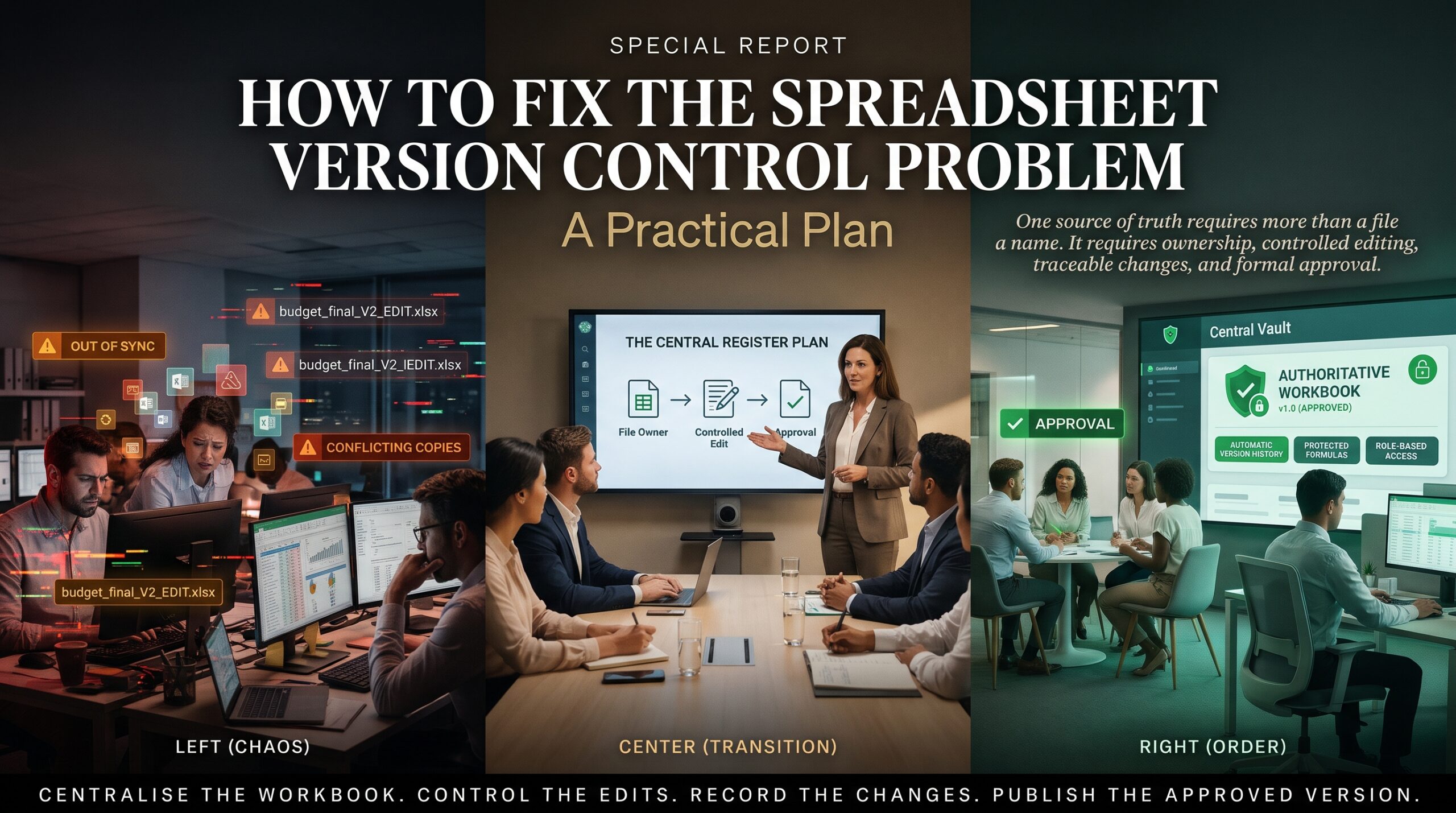
- Decide where the master file lives. Choose one shared location, such as SharePoint or OneDrive, and make it the only home for each important workbook.
- Share links, not attachments. Send a link to the master file instead of emailing a copy, so everyone opens the same document.
- Use co-authoring and AutoSave. When a workbook is stored in OneDrive or SharePoint, several people can work in it at the same time, and changes are saved automatically. Microsoft’s Excel support pages explain how it works.
- Rely on version history. OneDrive and SharePoint keep earlier versions, so you can restore a previous one instead of saving “Copy of” files.
- Adopt a simple naming convention. Use a consistent pattern such as project name, then date in year-month-day format, then status. Avoid the word “final” altogether.
- Add a control sheet. Include a first tab that records the purpose, owner, last updated date, data sources and a short change log.
- Connect to data instead of pasting it. Use Power Query and data connections to pull figures from the source, so reports update when the data changes.
- Protect the structure. Lock formulas and key cells, and separate input sheets from calculation and output sheets, so accidental edits are harder.
- Name an owner and review regularly. Each key workbook needs a named person responsible for it, and a regular review to archive old copies.
Even three of these steps, a shared master location, links instead of attachments and a naming rule, remove most of the spreadsheet version control problem for a typical small team.
When Excel Is Not Enough
Sometimes the real fix is to move a process out of a spreadsheet. If a workbook has become a critical system with many users, complex macros and constant manual copying, it may be time to consider a database, a business intelligence tool or a purpose-built application. Excel remains excellent for analysis, modelling and reporting, and the Microsoft 365 platform adds sharing and collaboration tools around it. The goal is to use it where it fits and not to stretch it where it does not.
Skills That Help You Solve the Spreadsheet Version Control Problem
Tools only help if people know how to use them. Training the whole team on the same habits is one of the fastest ways to reduce the spreadsheet version control problem. Here is how our courses connect to it.
Strong foundations. Start with Microsoft Excel Beginner for tables, formatting and formulas, then build on it with Microsoft Excel Intermediate for functions, charts and data organisation.
Linking, consolidating and analysing. Microsoft Excel Advanced covers pivot tables, data linking, consolidation, what-if tools and reporting, which are the skills that replace risky copy-and-paste.
Automation. The Excel VBA and Macros Masterclass teaches you to automate repetitive tasks safely, so reports no longer depend on manual copying.
Role-based training. Choose the Excel for Accountants course, the Excel for Project Managers course, the Excel for HR Professionals course, the Excel for Supply Chain Inventory course or the Excel for Small Business course to learn in the context of your daily work.
The wider Office toolkit. The MS Office Full Bundle and Microsoft Outlook course help your team share files properly instead of passing attachments around, and the MOS Exam Preparation course is available if you want formal certification. For further reading, our article on the spreadsheet lifestyle tax shows how manual work steals time, and Effective at Work explores working smarter.
Spreadsheet Version Control Problem Across Australian Cities
The spreadsheet version control problem shows up in every industry and every city. Here is where we see it often, and where you can train.
Sydney. Finance, consulting and government teams share large workbooks across many stakeholders, so version confusion spreads fast. See our Excel courses in Sydney.
Melbourne. Retail, healthcare and education organisations often keep critical reports in Excel. Explore our Excel courses in Melbourne.
Brisbane. Construction, property and logistics businesses rely on spreadsheets for estimates and schedules. View our Excel courses in Brisbane.
Perth. Mining and resources teams manage data across remote sites, where file copies multiply quickly. Learn about our Excel courses in Perth.
Adelaide. Small and mid-sized businesses benefit from simple, shared systems rather than scattered files. Read about our Excel and business analysis courses in Adelaide.
Canberra. Government agencies and suppliers carry strong record-keeping and accountability expectations. See our Excel courses in Canberra.
Prefer to learn from anywhere? Training is also available live online. Browse every option on our locations page.
Spreadsheet Version Control Problem: Frequently Asked Questions
What is the spreadsheet version control problem?
It is the confusion caused by multiple copies of the same Excel file, where people cannot tell which version is current, correct or approved, and may make decisions from outdated data.
How do I stop multiple versions of an Excel file?
Store one master file in a shared location such as OneDrive or SharePoint, share links instead of attachments, use co-authoring and version history, and agree a simple naming rule.
Can Excel track who changed a file?
When a workbook is stored in OneDrive or SharePoint, version history lets you see and restore earlier versions, and current Microsoft 365 versions of Excel offer tools for reviewing changes. A control sheet with a change log adds a clear record on top of that.
What is the best file naming convention for spreadsheets?
Use a consistent pattern such as project or report name, date in year-month-day order, and a status such as draft or approved. Avoid vague words like “final” and “latest”.
Which Excel course helps with version control and reporting?
Excel Intermediate and Advanced cover linking, consolidation and reporting, while role-based courses apply the same habits to accounting, project management, HR, supply chain and small business work.
Stop Deciding From the Wrong File
The spreadsheet version control problem is not a sign that your team is careless. It is a sign that nobody has agreed how spreadsheets should be stored, shared and updated. Set a few clear rules, use the sharing tools you already have, and train your people to work the same way, and the confusion fades.
If you want your team to trust the numbers they use every day, review our Excel courses online, read the FAQs or contact our team to find the right level. Start fixing the spreadsheet version control problem today.