


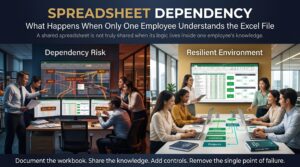


The spreadsheet knowledge trap is what a business falls into when one critical Excel file can only be understood by one person. It runs the pricing, the payroll, the forecast or the month-end close, and it works beautifully, right up until its creator resigns, goes on leave or wins a promotion. Then the file stops being an asset and becomes a risk nobody knows how to manage.
This article explains how the spreadsheet knowledge trap forms, what happens when the expert leaves, the warning signs to look for and a practical plan for escaping it. If you have ever opened an inherited workbook and whispered “do not touch anything”, keep reading.
What Is the Spreadsheet Knowledge Trap?
A spreadsheet is a wonderfully flexible tool, and that flexibility is exactly why the spreadsheet knowledge trap is so common. Anyone can build a formula, link a sheet or add a macro. Nothing forces them to explain it. Over months and years, the file grows more complex, and the logic lives in one person’s head instead of on the page.
In project terms this is a bus factor of one. If that single person disappears, the knowledge disappears with them. The spreadsheet knowledge trap is simply the Excel version of that old problem, and it is more widespread than most managers realise.
How the Spreadsheet Knowledge Trap Forms
Nobody sets out to build a fragile file. The trap forms through a series of sensible shortcuts:
- One helpful person builds it. They solve a real problem quickly and everyone is grateful.
- It keeps growing. New tabs, new formulas and new exceptions get added every quarter.
- Nothing is documented. There is no time, and the builder already knows how it works.
- Logic is hidden. Hard-coded numbers, nested formulas, hidden sheets and unnamed ranges make the file hard to read.
- Macros take over. A VBA routine runs the process, and nobody else has ever opened the code.
- Everyone depends on it. By the time anyone notices, the business cannot run without it.
Each step looks harmless on its own. Together they build a spreadsheet knowledge trap that is hard to see from the outside and very hard to escape from the inside.
What Happens When the Only Expert Leaves
The damage rarely appears on day one. It arrives gradually, then all at once.
- The file breaks and nobody can fix it. A new data format, a changed column or a software update causes errors, and no one understands the formulas well enough to repair them.
- Reports are late or wrong. Month-end, payroll or forecasting slips by days while someone reverse-engineers the logic.
- Errors go unnoticed. Without an expert, mistakes in the numbers can sit undetected and flow into decisions. Our post on hard-coded numbers in Excel shows how a single hidden value can quietly distort an entire model.
- Audit and compliance risk rises. If you cannot explain how a figure was calculated, you cannot defend it.
- Costs climb. Businesses end up paying contractors, rebuilding from scratch or running two systems in parallel.
That is the real cost of the spreadsheet knowledge trap. The loss is not the employee. The loss is the knowledge that was never shared.
Warning Signs You Are Already in the Spreadsheet Knowledge Trap
You may be in the trap now if any of these sound familiar:
- One person is always the one asked when a number looks odd.
- Nobody takes leave during month-end because the file “only works” when they run it.
- The workbook has tabs named “Calc2”, “Final_v7” or “Do not delete”.
- Formulas stretch across several lines and reference other files stored on a personal drive.
- No one can say what would happen if a particular cell were changed.
- Different team members hold different copies, a pattern we cover in the spreadsheet version control problem.
Real-World Scenarios of the Spreadsheet Knowledge Trap
- The finance team. A senior accountant built the month-end reconciliation workbook years ago. After they leave, the new team spends three days working out why one balance never ties.
- The operations manager. A stock-ordering sheet relies on a macro written by a former employee. When the supplier changes its file format, the macro fails and orders stall.
- The small business owner. A quoting spreadsheet is maintained by a part-time bookkeeper. When she moves interstate, pricing errors creep in because nobody understands the margin formulas.
- The HR coordinator. Leave balances and allowances are tracked in a complex file. After a restructure, no one can confirm how the entitlements were worked out.
The details differ, but the pattern is the same. This is also a common feature of shadow spreadsheets, where the real process lives outside any official system.
How to Escape the Spreadsheet Knowledge Trap
The good news is that you do not need to rebuild everything. A steady, structured approach is usually enough.
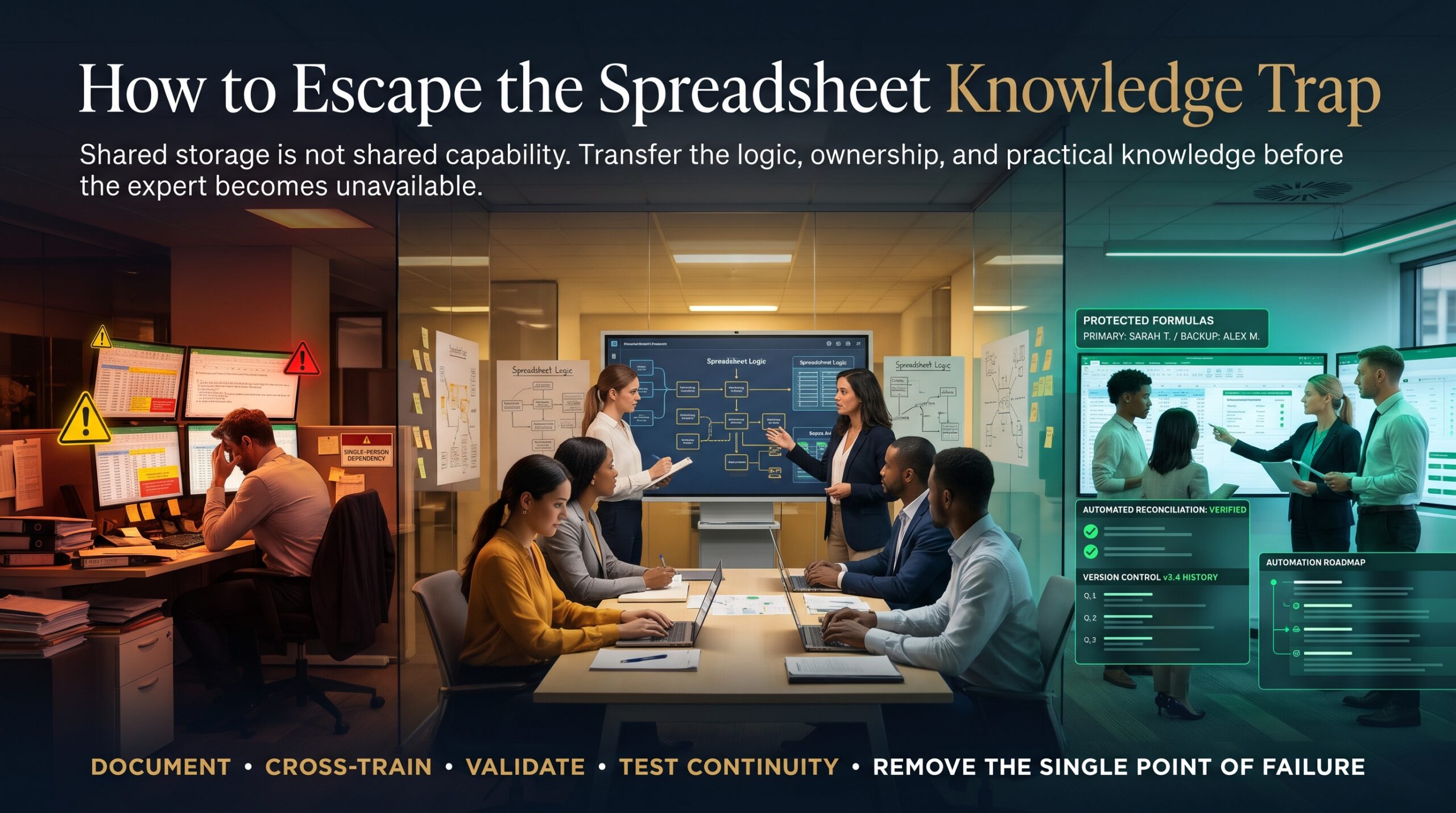
- Find your critical spreadsheets. List the files that drive money, compliance or customer outcomes. Rank them by how bad it would be if they broke.
- Document the logic in plain English. Add a front sheet that explains the purpose, inputs, outputs, key formulas, owners and known limitations.
- Separate inputs, calculations and outputs. Keep raw data, workings and reports on different tabs so each can be understood and checked on its own.
- Clean up the structure. Use Excel Tables, named ranges and consistent labels. Replace hard-coded numbers with clearly labelled assumption cells.
- Add controls. Use data validation, error checks and reconciliation totals so mistakes are caught early.
- Cross-train a second person. Ask a colleague to run the process while the expert watches. If they cannot do it, the documentation is not finished.
- Control versions. Store the file in one shared location with clear naming and change notes.
- Consider upgrading the process. Repeated manual steps can often be replaced with Power Query, which records each data-cleaning step so it can be read and repeated.
Treat this as part of wider knowledge management, not a one-off tidy-up. The aim is a business where critical know-how is written down, shared and tested, so no single resignation can break an important process.
A Handover Checklist for When a Spreadsheet Owner Leaves
If someone is about to leave, use their notice period to loosen the spreadsheet knowledge trap before it tightens:
- Record a walkthrough video of the file in action, from raw data to final report.
- List every source file, link, macro and scheduled task the workbook depends on.
- Write down the monthly or weekly steps in order, including manual workarounds.
- Identify the cells and tabs that must never be changed, and why.
- Have the replacement run one full cycle while the expert is still available.
- Save a protected backup copy and record where it lives.
Mistakes That Keep the Spreadsheet Knowledge Trap Alive
- Praising the one person who “just knows Excel” instead of asking them to share what they know.
- Waiting for a resignation before thinking about documentation.
- Locking sheets with passwords nobody else holds.
- Making quick fixes with more hard-coded numbers instead of fixing the cause.
- Assuming a new tool will solve it, when the real gap is skills and shared understanding.
Our post on spreadsheet dependency looks at the same issue from the employee side and is a useful companion read.
Excel Skills That Help You Escape the Trap
Documentation helps, but skills are what make a spreadsheet understandable in the first place. When more people on the team can read, build and check Excel logic, the knowledge stops sitting with one person. These courses are a good place to start:
- Microsoft Excel Beginner covers formulas, formatting and tidy spreadsheet habits.
- Microsoft Excel Intermediate builds confidence with functions, charts and data organisation.
- Microsoft Excel Advanced covers pivot tables, data analysis and automation.
- Excel VBA & Macros Masterclass shows how to write, document and maintain macros properly.
- Excel for Accountants focuses on reconciliations, reporting and controls.
- Excel for Project Managers, Excel for HR Professionals and Excel for Small Business cover role-specific workbooks.
You can browse the full list on our Excel courses online page, check the FAQ or read more on the Excel blog.
Learn Excel in Your City
Teams in every capital city fall into the spreadsheet knowledge trap, and training is available in person and through live online classes:
- Excel courses in Sydney
- Excel courses in Melbourne
- Excel courses in Brisbane
- Excel courses in Perth
- Excel courses in Adelaide
- Excel courses in Canberra
Want a training plan for your team? Contact us and we will help you choose the right course.
Frequently Asked Questions About the Spreadsheet Knowledge Trap
What is the spreadsheet knowledge trap?
It is the situation where only one person understands a critical Excel file, so the business is at risk if that person leaves, is absent or makes an error.
What happens if the only person who understands an Excel file leaves?
Reports can be delayed, errors can go unnoticed, and the business may need to rebuild the file or pay for outside help. The knowledge that leaves is the real loss.
How do you document an Excel spreadsheet?
Add a front sheet that explains the purpose, inputs, outputs, key formulas and owner. Use named ranges and clear labels, and keep a short step-by-step guide to running it.
How can a business reduce key person risk with Excel?
Document critical files, cross-train a second person, store files in one controlled location and train staff in good spreadsheet design.
Which Excel courses help with complex spreadsheets?
Intermediate and advanced Excel training, along with VBA and macros, helps teams read and maintain complex workbooks, while role-based courses cover finance, HR and project needs.
Final Thoughts
The spreadsheet knowledge trap is not a technology problem. It is a sharing problem. A file that only one person understands is a single point of failure, no matter how clever it is. By documenting the logic, simplifying the structure and building shared Excel skills, you turn a hidden risk into a reliable business tool.
Ready to make your spreadsheets safer and easier to hand over? Explore our Excel courses online and give your team the skills to share what they know.