




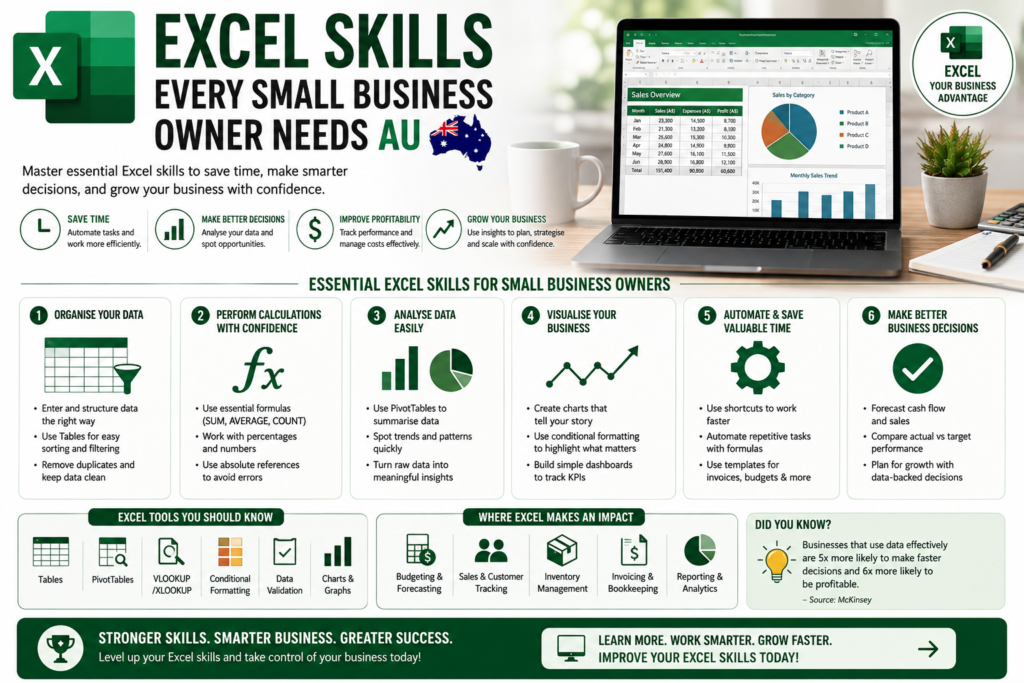
Running a small business in Australia means wearing a dozen hats and Excel for small business owners Australia has quietly become one of the most valuable skills you can add to that list. Whether you’re tracking GST, forecasting cash flow, or building a simple dashboard to see how your business is really performing, Excel remains the fastest, cheapest, and most flexible tool available to owner-operators from Sydney to Perth.
This guide walks through exactly which Excel skills matter for small business owners in 2026, why they matter, and how to build them quickly even if you’ve never opened a spreadsheet for anything more than a shopping list.
Why Excel Still Matters for Small Business Owners in 2026
Cloud accounting tools like Xero and MYOB handle the heavy lifting of bookkeeping, but almost every small business owner in Australia still exports data into Excel to do the thinking comparing quarters, modelling a new hire’s cost, or preparing numbers for a BAS lodgement or an accountant meeting. Excel sits in the gap between “what my software tells me” and “what I actually need to decide,” which is exactly why it hasn’t been replaced.
For sole traders and small teams, Excel is also simply more affordable and more flexible than commissioning custom reporting tools a genuine advantage when every dollar of overhead counts.
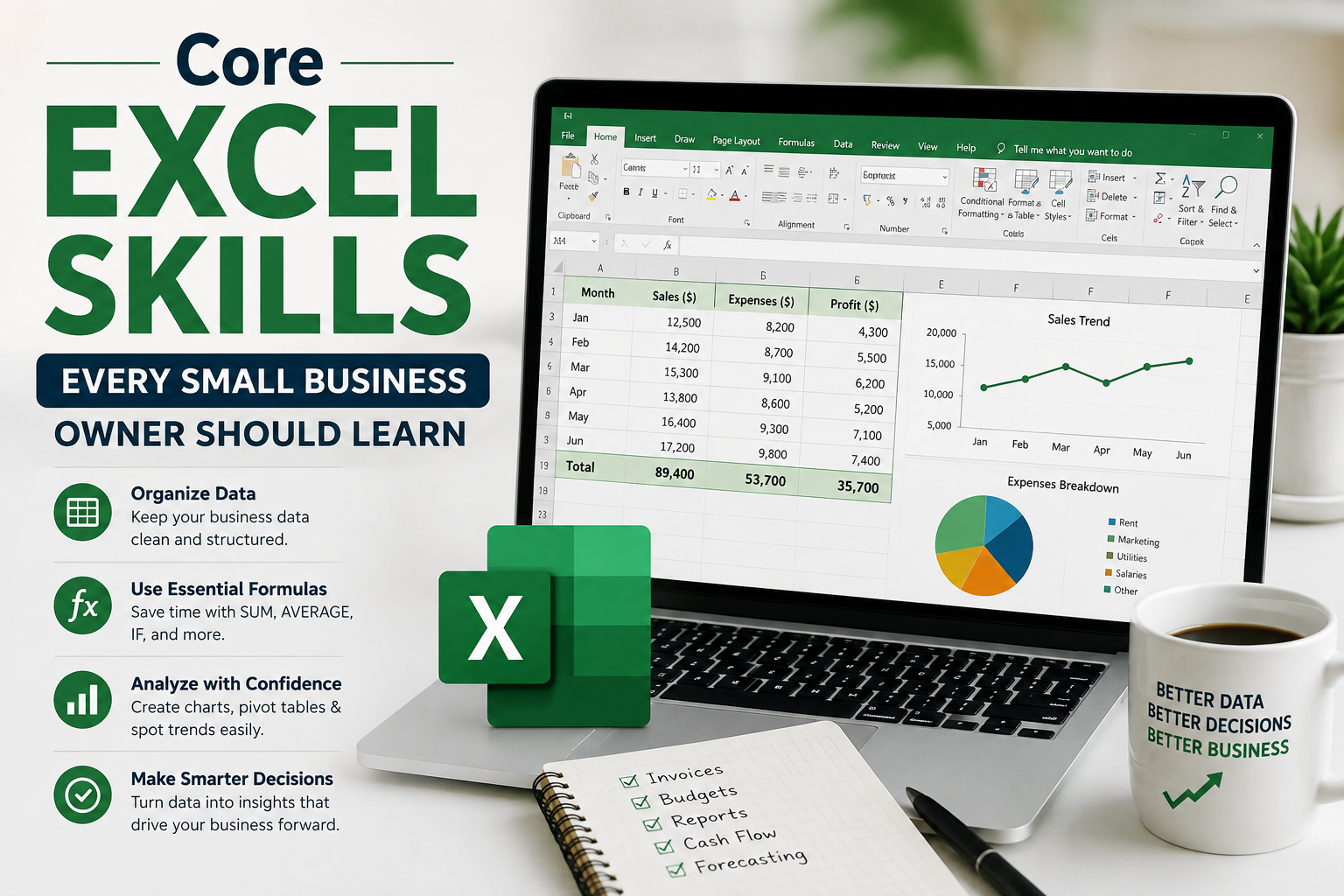
Core Excel Skills Every Small Business Owner Should Learn
1. Budgeting and Cash Flow Forecasting
A rolling 12-month cash flow forecast is the single most useful spreadsheet a small business owner can build. Learning SUM, SUMIF, and simple growth formulas lets you model incoming invoices against outgoing expenses and spot a cash crunch months before it happens instead of finding out from your bank balance.
2. GST, BAS and Expense Tracking
Australian small businesses need to track GST-inclusive and GST-exclusive amounts constantly. Excel formulas for splitting GST (amount ÷ 11 for GST-inclusive figures), categorising expenses, and summarising quarterly totals make BAS preparation dramatically faster, whether you lodge yourself or hand a clean sheet to your bookkeeper.
3. Invoicing and Quoting Templates
A well-built Excel invoice template with automatic totals, GST calculation, and due-date formulas saves hours every month compared with manually recreating invoices. Many Logitrain students who complete our Excel course go on to build their own reusable invoice and quote templates in the first week.
4. PivotTables for Sales and Customer Reporting
PivotTables turn a messy sales export into a clear picture of your best-performing products, busiest months, or highest-value customers in a few clicks no formulas required. This is often the single biggest “aha” moment for small business owners learning Excel, because it replaces hours of manual sorting with seconds of dragging and dropping fields.
5. IF Statements and Conditional Formatting
IF formulas let you flag overdue invoices, low stock, or under-target sales automatically. Combined with conditional formatting (colour-coding cells red, amber, or green), your spreadsheet starts working for you instead of requiring constant manual review.
6. Simple Dashboards with Charts
You don’t need Power BI to get a clear view of your business a one-page Excel dashboard combining a bar chart of monthly revenue, a PivotTable summary, and a few key numbers (profit margin, top product, cash on hand) gives you a Monday-morning snapshot in seconds. Owners who want to go further with interactive, shareable dashboards often progress from Excel into a dedicated Power BI course once their data needs grow.
7. Data Validation for Clean Records
Drop-down lists and data validation rules stop staff (or you, at 11pm) from typing “Sydney” one day and “sydney ” the next. Clean, consistent data is what makes every report above actually usable.
A Simple 4-Week Excel Learning Path for Small Business Owners
- Week 1: Formulas basics (SUM, SUMIF, IF) and building a simple expense tracker
- Week 2: Invoice and quote templates with automatic GST calculation
- Week 3: PivotTables for sales and customer reporting
- Week 4: Conditional formatting, data validation, and a one-page dashboard
Most small business owners who follow a structured path like this are running their own working templates within a month, without needing to hire a bookkeeper or consultant for routine reporting.
Excel Training for Small Business Owners Across Australia
Small business owners in every major Australian city are turning to structured, practical Excel training rather than piecing skills together from scattered tutorials. Logitrain Excel courses online are delivered live online, so location is no barrier business owners in Sydney, Melbourne, Brisbane, Perth, Adelaide, and Canberra all attend the same live, instructor-led sessions without travel time away from the business.
This matters in practice: a small business owner in regional Australia gets the exact same instructor access as one based in the Sydney CBD, which is a real shift from the days when quality Excel training meant a capital-city classroom.
Common Mistakes Small Business Owners Make in Excel
- Rebuilding the same report from scratch every month instead of creating one reusable template
- Hard-coding numbers into formulas instead of referencing a source cell, which breaks reports the moment a price changes
- Skipping PivotTables because they look intimidating despite being faster and more accurate than manual sorting
- No data validation, leading to inconsistent entries that quietly corrupt reports over time
- Treating Excel and their accounting software as separate worlds, rather than exporting clean data from Xero/MYOB into Excel for the analysis their software doesn’t do
Excel vs Power BI: Which Do Small Business Owners Need First?
Excel is almost always the right starting point it’s already installed, familiar, and more than capable of handling budgeting, invoicing, and reporting for most small businesses. Power BI becomes worth learning once you need automatically refreshing dashboards, are combining data from multiple sources, or want to share live reports with a team. Many Logitrain students complete their Excel course first, then move on to Power BI as their business and their data grow.
Frequently Asked Questions
Do I need advanced Excel skills to run a small business?
No. Most small business owners only need a working knowledge of SUM/SUMIF formulas, PivotTables, IF statements, and basic charting advanced functions like macros or Power Query are optional extras, not requirements.
Can Excel replace accounting software like Xero or MYOB?
No, and it shouldn’t try to. Excel complements accounting software by giving you a flexible space to analyse, forecast, and report on data that’s often exported from Xero or MYOB.
How long does it take to learn Excel for small business use?
Most owners reach a comfortable, practical level budgeting, invoicing, PivotTables, and basic dashboards within 3–4 weeks of consistent, structured practice.
Is online Excel training as effective as in-person classes?
Yes, provided it’s live and instructor-led rather than pre-recorded. Live online Excel courses let small business owners in Perth, Adelaide, Canberra, or regional Australia ask questions in real time, exactly as they would in a physical classroom.
Final Thoughts
Excel remains one of the highest-return skills a small business owner in Australia can invest a few weeks into learning. It sits at the centre of budgeting, GST/BAS tracking, invoicing, and reporting the parts of running a business that never go away, no matter which accounting software you use.
If you’re ready to build these skills properly rather than piecing them together from YouTube videos, explore Logitrain live, instructor-led Excel courses online, available to small business owners across Sydney, Melbourne, Brisbane, Perth, Adelaide, and Canberra.