

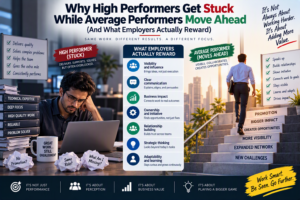



Become indispensable at work and you stop competing on hours; stay replaceable and you end up competing on price. That is the quiet truth behind what I call the spreadsheet divide. Two people can sit in the same office, open the same version of Excel and be handed the same task, yet one becomes the person everyone asks for while the other is easy to swap out. The difference is rarely intelligence or effort. It is how each person uses the tool.
This guide explains what separates the two groups, which habits and skills help you become indispensable at work, how it plays out in Sydney, Melbourne, Brisbane, Perth, Adelaide and Canberra, and what you can do over the next 90 days to move to the right side of the divide. If you want to see a structured route, our Excel courses go from beginner to advanced.
What Is the Spreadsheet Divide?
The spreadsheet divide is the gap between people who use Excel to finish tasks and people who use it to build things other people rely on. On one side sit professionals who copy, paste, tweak and send. On the other sit those who design a clean workbook, automate the boring parts, catch errors before they spread, and explain what the numbers mean.
Nobody sets out to be replaceable. It usually happens quietly. You get good at a manual process, the process keeps you busy, and the busy-ness feels like value. But if a new starter could follow your steps in a week, the business has learned that the work matters, not that you do.
To become indispensable at work, the goal is the opposite: make the result depend on your judgement, your systems and your understanding of the business, not just your keystrokes.
Why Some Professionals Stay Replaceable
They Repeat Manual Work Every Week
Rebuilding the same monthly report by hand feels productive, but it tells your manager that the task is repetitive and therefore cheap. Repetition is the first thing a business tries to automate, and if you are not the one automating it, someone else will be.
Their Knowledge Lives Only in Their Head
Ironically, hoarding know-how doesn’t make you safer. A workbook nobody else can read is a risk, and risks get fixed by rebuilding them. Documented, well-labelled models make you more trusted, not less.
They Hand Over Numbers Without Meaning
A spreadsheet full of figures is not an answer. Managers want to know what changed, why it matters and what to do next. If you stop at the numbers, someone else gets the credit for the insight.
They Wait to Be Asked
Replaceable professionals respond to requests. Indispensable ones notice a problem, fix it quietly and mention it afterwards. That habit builds a reputation faster than any job title.
What Indispensable Professionals Do Differently
People who become indispensable at work tend to share five habits, and none of them need a computer science degree.
- They build systems, not one-off files. A well-structured template with clear inputs, formulas and outputs gets reused for years.
- They automate the boring parts. Power Query, formulas and simple macros turn hours of copying into a refresh button.
- They protect accuracy. Data validation, error checks and consistent structure mean fewer embarrassing mistakes in front of leadership.
- They explain the story. A short summary sits at the top of every report: what happened, why, and what should happen next.
- They understand the business. They know which numbers actually move revenue, cost or risk, and they focus there first.
Replaceable vs Indispensable: A Side-by-Side Look
| Area | Stays Replaceable | Becomes Indispensable |
| Approach to tasks | Repeats the same manual steps | Automates and improves the process |
| Workbook design | Messy, one-off files | Clean, reusable templates |
| Error control | Fixes mistakes after they appear | Builds checks and validation in advance |
| Reporting | Sends raw figures | Adds a clear summary and recommendation |
| Knowledge sharing | Keeps steps in their head | Documents and teaches the method |
| Business value | Hard to measure | Linked to time saved, cost cut or risk avoided |
Excel Skills That Help You Become Indispensable at Work
Tools alone won’t do it, but the right skills give you the leverage to work differently. If you are deciding where to invest your time, start here.
- Solid formulas and lookups. XLOOKUP, IF logic and clean references save hours and cut errors. Our Microsoft Excel Intermediate course is a good place to build this base.
- Pivot tables and summaries. The fastest way to turn thousands of rows into an answer. See Microsoft Excel Advanced for pivot tables, dashboards and analysis tools.
- Power Query for data cleaning. Import, clean and combine messy data once, then refresh it forever. This is often the single biggest step out of the replaceable zone.
- Macros and VBA. Automate the repetitive clicking. The Excel VBA & Macros Masterclass is designed for exactly that.
- Data validation and error checking. Small controls that make your files trustworthy.
- Dashboards and charts. A simple, clear dashboard beats a 40-tab workbook every time.
- Solid fundamentals. If your basics feel shaky, start with Microsoft Excel Beginner so everything else stands on firm ground when you set out to become indispensable at work.
How to Become Indispensable at Work in Your Own Role

The route to become indispensable at work looks a little different depending on what you do all day. Here are five common examples, each with a matching course.
Accountants and finance teams. Reconciliations, month-end reporting and forecasting reward clean models and audit trails. Explore Excel for Accountants.
HR professionals. Headcount, turnover and leave reporting can be automated so you spend time advising rather than compiling. See Excel for HR Professionals.
Project managers. Budget tracking, resource plans and status reports become faster and clearer with the right structure. Take a look at Excel for Project Managers.
Small business owners. Cash flow, pricing and stock tracking in one reliable workbook can replace a lot of guesswork. Try the Excel for Small Business course.
Supply chain and operations. Inventory levels, reorder points and supplier performance are ideal for automation. See Excel for Supply Chain Inventory.
If you want to go one step further and work in dedicated reporting tools, our sister sites cover Power BI training and data analytics courses.
Become Indispensable at Work Across Australian Cities
The spreadsheet divide shows up everywhere, but each city leans on different industries, so the skills that stand out shift slightly.
Sydney. Finance, insurance and professional services reward analysts who can model, reconcile and present cleanly. See Excel courses in Sydney.
Melbourne. Healthcare, education, retail and government teams run on reporting. Explore Excel courses in Melbourne.
Brisbane. Construction, logistics and resources businesses need dependable cost and schedule tracking. Check out Excel courses in Brisbane.
Perth. Mining and energy operations turn on accurate operational data, so people who keep that data clean are highly valued. Find Excel courses in Perth.
Adelaide. Defence, health and manufacturing organisations increasingly need reliable reporting. Start with the Adelaide training page.
Canberra. Government agencies and contractors depend on accurate, auditable spreadsheets. See Excel courses in Canberra.
For a wider look at where Australian employers are hiring, Jobs and Skills Australia publishes labour market research worth reading.
Will AI and Copilot Make You More Replaceable?
Tools like Copilot can now write formulas and summarise tables in seconds, and that is exactly why the divide is growing. AI takes over the mechanical steps. What it can’t do on its own is decide which question matters, check whether the answer makes sense, or explain it to a nervous manager. To become indispensable at work in the AI era, you need enough Excel understanding to direct the tool and catch its mistakes. Microsoft’s Excel support hub is a useful place to keep up with new features.
A 90-Day Plan to Become Indispensable at Work
- Days 1 to 30: Find the repetition. List every task you do weekly or monthly. Pick the slowest one and time it.
- Days 31 to 60: Automate one process. Use formulas, Power Query or a small macro to cut that task by at least half. Document the steps in a short note.
- Days 61 to 90: Show the result. Share the time saved with your manager, then offer to help a colleague do the same. That is how a reputation gets built.
Repeat the cycle with the next task, because you only become indispensable at work by repeating this habit. Within a year, you will have a portfolio of improvements that is far more convincing than any job description. Our earlier posts on the Excel skills gap, why being good at Excel can cost you opportunities and the invisible skill that decides who gets promoted go deeper on this journey.
Mistakes to Avoid When You Want to Become Indispensable at Work
- Treating busy-ness as proof of value.
- Building complex files nobody else can follow.
- Skipping documentation because “it’s quicker”.
- Learning shortcuts but never finishing a real automation project.
- Never showing the business impact of your improvements.
Frequently Asked Questions
How can I become indispensable at work using Excel?
Focus on automation, accuracy and communication. Build reusable templates, clean data with Power Query, add checks that prevent errors, and always summarise what the numbers mean for the business.
Which Excel skills make you hard to replace?
Pivot tables, lookups, Power Query, macros, data validation and dashboard design are the skills that most often turn a routine user into someone teams depend on.
Is Excel still worth learning in the age of AI?
Yes. AI speeds up the mechanical work, but you still need to understand the model, spot errors and explain the result. That judgement is what keeps you valuable.
Can I learn Excel online while working full time?
Yes. Live online classes let you study from anywhere in Australia around your work hours. Browse the course list or the FAQ page for delivery options.
How long does it take to move from replaceable to indispensable?
It depends on your starting point, but many people see a real shift within one quarter of consistent practice, especially if they automate one meaningful process and share the result.
Final Thoughts: Ready to Become Indispensable at Work?
You don’t need to be a genius to become indispensable at work. You need to stop doing repeatable tasks the slow way, build things others rely on, and explain what your work means. Start small, show the result, and let the pattern build.
Ready to close the gap? Explore our Excel courses, or speak to a course advisor on 1300 649 299 to find the right level for you.