





An excel total includes hidden rows far more often than most people realise, and that one quiet habit of the SUM function sits behind a surprising number of wrong reports. You filter a list, glance at the visible rows, check the total at the bottom, and the numbers do not agree. Nothing looks broken. The formula is not red. Yet the screen is showing you one dataset while the calculation is working on another.
We call this the hidden row total trap. Excel treats hiding as a display choice, not a data change, so the rows you cannot see are still in the sum. The pattern is simple: an excel total includes hidden rows, and the screen does not show them. If you build budgets, payroll summaries, stock lists or BAS worksheets, this trap can cost real money before anyone spots it.
This guide explains exactly why an excel total includes hidden rows, eight places the problem hides in real workbooks, the formulas that fix it, and a short audit you can run on any file. If you want hands-on practice with formulas, pivots and data checking, our Excel courses online in Australia cover all of it.
What Is the Hidden Row Total Trap?
The trap is a mismatch between what you see and what Excel calculates. A manager looks at a filtered list of Sydney sales, adds the visible figures in their head, and compares the answer to the total cell. The two disagree, and trust in the spreadsheet drops immediately.
The cause is almost never a faulty formula. It is a misunderstanding of what hiding means. A hidden row is simply drawn with zero height. Its values, formulas and references all remain live, so any function that reads that range still reads them.
Why an Excel Total Includes Hidden Rows
The SUM function adds every number in the range you give it. It has no concept of visibility. That is why an excel total includes hidden rows whether you hid them by hand, grouped them into an outline or filtered them out. Deleting a row removes its value from the total. Hiding it does not.
Excel does provide functions that respond to visibility. They behave differently from each other, which is where most confusion starts. Microsoft documents the details for SUBTOTAL and AGGREGATE. The table below shows how each function behaves when an excel total includes hidden rows in common situations.
| Situation | SUM | SUBTOTAL(9) | SUBTOTAL(109) | AGGREGATE(9,5) |
| Row hidden by hand | Included | Included | Excluded | Excluded |
| Row filtered out | Included | Excluded | Excluded | Excluded |
| Column hidden | Included | Included | Included | Included |
Two details trip people up. First, SUBTOTAL with the 1 to 11 codes still counts rows you hid by hand, even though it ignores filtered rows. Second, SUBTOTAL and AGGREGATE are built for vertical data. Hiding a column does not change their result, so a horizontal total can still be wrong.
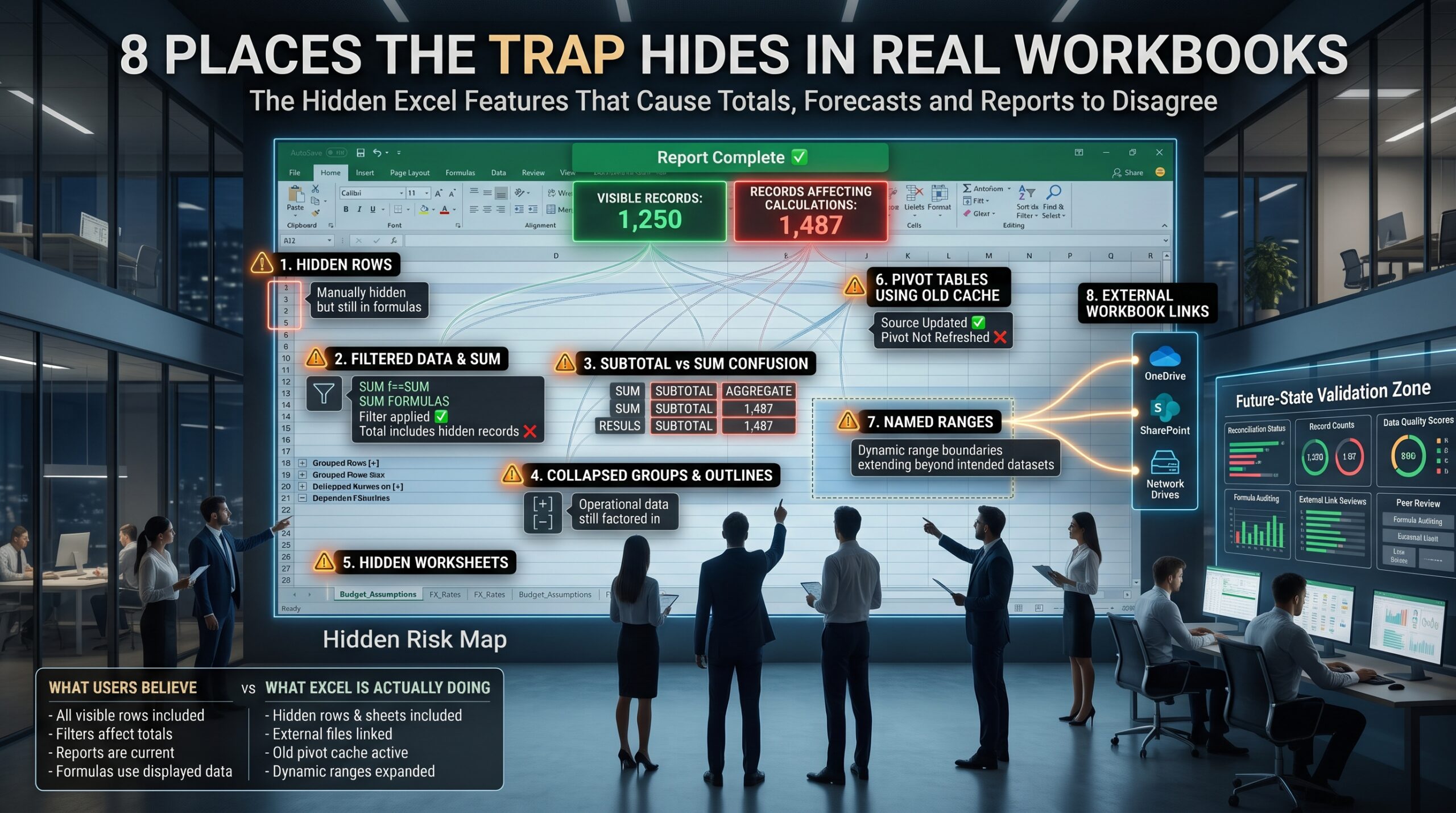
8 Places the Trap Hides in Real Workbooks
1. A SUM under a filtered list
This is the classic case. Someone filters a sales list to one region and the SUM at the bottom keeps showing the grand total. Anyone reading the visible rows assumes the total is for that region. It is not, and it is the simplest form of an excel total includes hidden rows problem.
2. Old rows hidden by hand
Cancelled orders, test entries and last year’s items often get hidden rather than deleted, because deleting feels risky. Months later, the totals still include them. This is the most common way an excel total includes hidden rows without anyone remembering why.
3. PivotTables that read hidden source data
A PivotTable reads the underlying source range, not what is visible on the sheet. Hiding or filtering rows in the source does not remove them from the pivot. You can have a clean looking list and a pivot that quietly disagrees with it, which feels like an excel total includes hidden rows error all over again.
4. Charts that ignore what the total includes
By default, charts leave out data in hidden rows and columns. So the chart shows the visible slice while a SUM in the corner shows everything. Two parts of the same dashboard tell different stories, a visual cousin of the excel total includes hidden rows problem.
5. The status bar versus the formula
Select a range and the status bar sum generally reflects only visible cells. Your SUM formula, on the same range, does not. If these two numbers differ, that is a strong signal that rows are hidden or filtered inside the range and that your excel total includes hidden rows.
6. Hidden columns and hidden sheets feeding formulas
Plenty of workbooks lean on helper columns or whole hidden sheets that nobody has opened in years. Their values flow into totals quietly. Because SUBTOTAL ignores column hiding, even a careful formula can miss the problem on a horizontal range, so the excel total includes hidden rows issue lives on in a different direction.
7. Display rounding versus stored values
A cell formatted to show two decimals can store far more. Excel shows one number and calculates with another, so a column of visible figures may not add up to the displayed total by a few cents. It is the same trap in a different costume.
8. Manual calculation and numbers stored as text
If calculation is set to manual, totals will not update until you recalculate. Numbers stored as text are skipped by SUM altogether. Both leave the screen disagreeing with your expectations, and both are quick to rule out. See Microsoft’s notes on changing recalculation options if you suspect this one.
How to Fix It When an Excel Total Includes Hidden Rows
The right fix depends on what you want the total to mean. Decide first whether the number should reflect everything in the data or only what is currently visible, then choose the function to match.
To total only visible rows, ignoring both filtered and hand-hidden rows, use SUBTOTAL with the 109 code. To also skip error values, use AGGREGATE with option 7:
=SUBTOTAL ( 109, C2:C500 )
=AGGREGATE ( 9, 7, C2:C500 )
Excel tables already do this for you. When you switch on the Total Row for a table, Excel uses SUBTOTAL with the 109 code by default, so the total follows the filter.
When you need a conditional total of visible rows only, add a helper column that flags visibility, then feed it to SUMIFS:
Visible flag (D2): =SUBTOTAL ( 103, A2 )
East visible total: =SUMIFS ( C2:C500, D2:D500, 1, B2:B500, “East” )
Finally, add a reconciliation cell that exposes the gap. It shows how much value is sitting in hidden or filtered rows:
Hidden value: =SUM ( C2:C500 ) – SUBTOTAL ( 109, C2:C500 )
If that cell is not zero, your report has an excel total includes hidden rows problem, and you now know its size. Put it somewhere visible, or turn it into a conditional format that flags when the gap appears.
A 6-Step Audit for Hidden Row Problems
Next time a total looks wrong, resist the urge to retype the formula. Run this short audit on a copy of the file instead. It works every time an excel total includes hidden rows is the suspected cause.
- Compare the SUM with the status bar. Select the range. A mismatch means hidden or filtered rows are inside it.
- Scan the row numbers. Gaps in the sequence reveal hidden rows, and blue row numbers show that a filter is active.
- Check every filter. Open each column’s filter arrow. Filters on columns you are not looking at are a common culprit. Microsoft’s guide to filtering data covers the basics.
- Unhide on a copy. Select the whole sheet, right-click a row header and choose Unhide, then compare the totals again.
- Run the Document Inspector. Under File, Info, Check for Issues, choose Inspect Document to list hidden rows, columns and sheets. Use it to find problems, not to fix them blindly, because the Document Inspector can remove data and change your calculations.
- Add a reconciliation check. Use the hidden value formula above so the problem announces itself next time.
Why This Matters in Australian Workplaces
Finance teams in Sydney reconcile monthly reports from shared workbooks. Operations managers in Melbourne track stock and orders in filtered lists. Project coordinators in Brisbane and Perth total costs across many sheets. Administrators in Adelaide manage rosters and budgets, and analysts in Canberra prepare figures that feed briefings and grant acquittals.
In every one of those cities, a total that disagrees with the visible rows erodes confidence fast. Professionals who can explain why an excel total includes hidden rows, and fix it in minutes, quickly become the person colleagues ask first. That trust factor is something we explore in The Spreadsheet Confidence Gap and The Shadow Spreadsheet Economy.
Habits That Keep Totals Honest
- Filter instead of hiding rows by hand, and clear filters before sharing a file.
- Move old or cancelled records to an archive sheet rather than hiding them.
- Store data in Excel tables so totals use SUBTOTAL by default and ranges expand automatically.
- Keep a visible check cell on every report that compares the total with the source.
- Avoid hidden helper sheets, or label them clearly and document what feeds from them.
- Move repeatable reporting into Power Query or Power BI so the data is rebuilt the same way each time.
These habits make sure an excel total includes hidden rows only when you meant it to.
If you want to build these habits properly, start with the Excel Courses Online programs, then widen your skills with Power BI training and Data Analytics Courses. Logitrain also delivers live online IT training for teams across Australia. Whether you work in Sydney, Melbourne, Brisbane, Perth, Adelaide or Canberra, checking your totals is a career-level skill.
Frequently Asked Questions
Does the SUM function include hidden rows in Excel?
Yes. SUM adds every value in the range regardless of whether rows are hidden or filtered. That is why an excel total includes hidden rows until you switch to SUBTOTAL or AGGREGATE.
Why is my Excel total different from the status bar?
The status bar generally counts only visible cells, while a SUM formula counts everything in the range. A difference usually means hidden or filtered rows inside the selection, so your excel total includes hidden rows.
How do I sum only visible cells in Excel?
If an excel total includes hidden rows and you only want visible cells, use SUBTOTAL with the 109 code, or AGGREGATE with option 5 or 7. For conditional totals, add a helper column using SUBTOTAL 103 and combine it with SUMIFS.
Does SUBTOTAL ignore hidden columns?
No. SUBTOTAL and AGGREGATE are designed for vertical ranges, so hiding a column does not change the result. Check horizontal totals separately.
Why does my PivotTable include rows I filtered out of the sheet?
A PivotTable reads the source data, not the visible rows. Filter or hide inside the pivot itself, or filter the source with a table and refresh the pivot.
Final Thoughts
Excel is not lying to you when a total looks wrong. It is doing exactly what you asked, on data you cannot fully see. Once you understand that an excel total includes hidden rows by design, the fix is simple: pick the right function, add a reconciliation check, and make hidden data visible.
Ready to build spreadsheets people trust? Explore Excel training designed for Australian professionals at excelcoursesonline.au.