



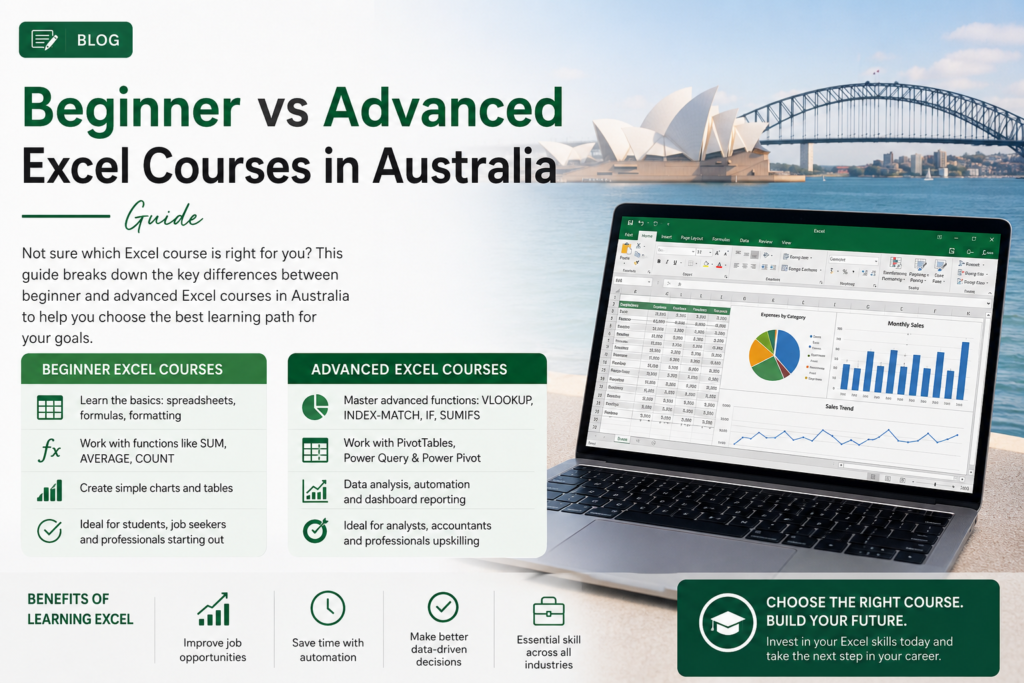
Looking for the right Excel course in Australia but not sure whether you need Beginner, Intermediate, or Advanced training? This guide compares all three levels side by side, so you can match the course to your actual job requirements rather than guessing with training available online and across Melbourne, Sydney, and Brisbane.
Why Excel Skills Still Matter in Australian Workplaces
Despite the rise of specialised BI tools, Excel remains embedded in day-to-day Australian business operations. A widely cited Capital One and Burning Glass Technologies study found Excel skills required across the vast majority of clerical, administrative, finance, and management roles in the workforce which is exactly why choosing the right course level, rather than the most advanced-sounding one, gets you job-ready fastest.
Quick Comparison: Beginner, Intermediate and Advanced Excel
| Level | Core Skills | Best For |
| Beginner | Basic formulas, formatting, sorting, simple charts | New spreadsheet users, general admin roles |
| Intermediate | VLOOKUP/XLOOKUP, PivotTables, conditional formatting | Regular Excel users, office and finance support roles |
| Advanced | Power Query, complex formulas, dashboards, macros | Data analysts, finance professionals, reporting roles |
Choose Beginner Excel If You Are New to Spreadsheets
A Beginner Excel course is the right starting point if you’ve never used Excel professionally, or only picked up scattered skills informally. It covers navigating workbooks, formatting data clearly, basic formulas like SUM and IF, sorting and filtering, and building simple charts the genuine fundamentals almost every office role now assumes.
Choose Intermediate Excel If You Already Use Excel at Work
An Intermediate Excel course suits professionals who already handle basic formulas and data entry confidently but need to summarise, look up, or clean larger datasets. This level covers VLOOKUP and XLOOKUP, PivotTables, conditional formatting, and data validation the skills that separate a confident office user from a beginner.
Choose Advanced Excel If You Work with Reports, Data or Automation
An Advanced Excel course suits data analysts, finance professionals, and anyone responsible for building dashboards or automating repetitive tasks. It covers Power Query, complex nested formulas, dashboard design, and basic macros genuinely advanced skills that go well beyond day-to-day office use.
Which Excel Course Is Best for Your Job Role?
- Admin and office support: Beginner to Intermediate covers most day-to-day tasks
- Finance and accounting: Intermediate to Advanced, particularly for reconciliation-heavy work
- Data analyst roles: Advanced, usually paired with SQL and Power BI training
- Managers and team leaders: Intermediate is usually enough to interpret reports built by others
For a deeper breakdown of exactly which skills matter at each level, our guide to Excel skills for jobs in Australia maps proficiency levels against real salary benchmarks by city.
Beginner vs Intermediate vs Advanced Excel: Which One Should You Take First?
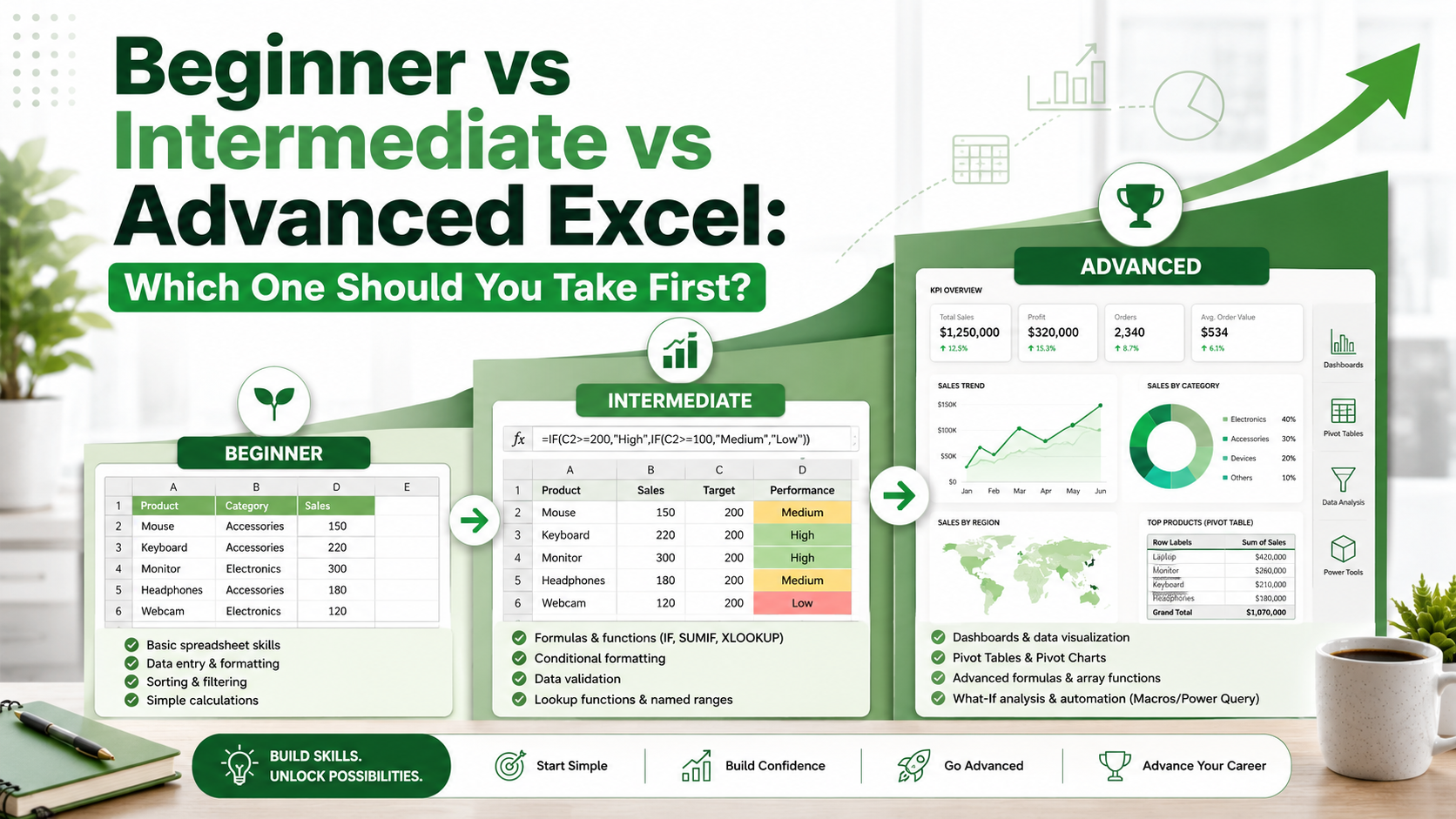
Start at Beginner if you’re new to Excel, even if you’re tempted to jump straight to Intermediate the fundamentals make every later formula easier to understand. If you’re already confident with basic formulas and data entry, you can start directly at Intermediate. Advanced should only come once Intermediate skills, particularly PivotTables and lookup formulas, feel genuinely comfortable rather than rushed.
Online vs In-Person Excel Training in Australia
Online Excel training in Australia offers flexibility to study around a full-time job, and is available regardless of location. In-person training adds direct instructor access and can suit learners who prefer structured classroom accountability. Both formats can lead to the same practical skill level what matters most is choosing a course with hands-on exercises rather than passive video content alone.
Excel Training Locations in Australia
Beginner, Intermediate, and Advanced Excel training is available live online Australia-wide, with local scheduling and support across Melbourne, Sydney, and Brisbane. A quick scan of Excel-related job listings on Seek shows demand for confident Excel users spanning every major Australian city, so wherever you’re based, the training and the job market both support building these skills.
Frequently Asked Questions
Which Excel course should I start with?
Start with Beginner if you’re new to Excel; move to Intermediate if you already handle basic formulas and data entry confidently.
Is Intermediate Excel enough for most office jobs?
For most admin and office support roles, yes. Intermediate skills like VLOOKUP and PivotTables cover the vast majority of day-to-day office tasks.
Do I need Advanced Excel for a data analyst job?
Generally yes. Data analyst roles typically expect Power Query, complex formulas, and dashboard-building skills covered at the Advanced level.
Can I skip Beginner if I have some Excel experience?
Yes, if you’re already confident with basic formulas and formatting, starting at Intermediate is a reasonable option.
Is an online Excel course as effective as in-person training?
Yes, provided the course includes hands-on exercises. Both formats can lead to the same practical skill outcomes.
Final Recommendation
- Choose Beginner if you are new to Excel or spreadsheets generally.
- Choose Intermediate if you already use Excel at work and want to build genuinely useful reporting skills.
- Choose Advanced if your role involves reports, large datasets, or repetitive tasks worth automating.
Ready to build job-ready Excel skills?
Explore our Beginner, Intermediate and Advanced Excel courses, available online and across major Australian cities.