



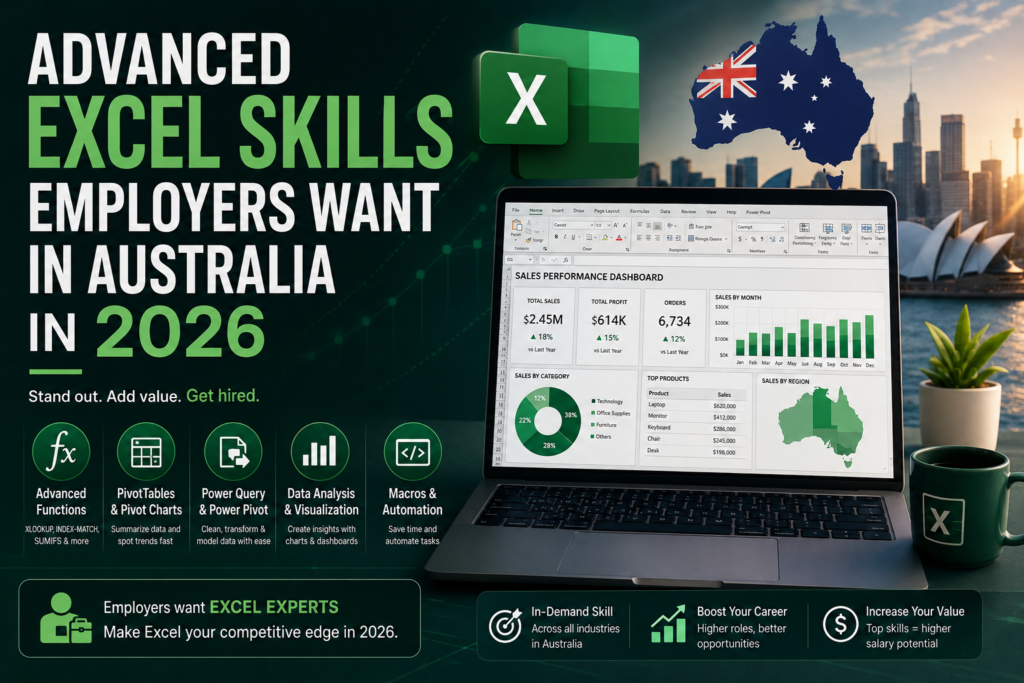
Basic Excel a few formulas, some formatting, maybe a chart used to be enough to get past the resume screen. Not anymore. Across Sydney, Melbourne, Brisbane, Perth, Adelaide, and Canberra, advanced Excel skills have become the line that separates a shortlisted candidate from an overlooked one, especially in finance, operations, admin, and analytics roles. Job ads in 2026 are increasingly specific: instead of “Excel proficiency,” they now list PivotTables, XLOOKUP, Power Query, and dashboard-building by name. This guide covers exactly which advanced Excel skills Australia employers are asking for right now, how they show up differently by city and industry, and the fastest way to build them without going back to full-time study.
Why Advanced Excel Skills Matter in the Australian Job Market
Excel proficiency is one of the most frequently listed software requirements across Australian office-based job ads, spanning finance, administration, operations, and data roles. What has changed in 2026 is the depth expected: employers no longer treat Excel as a box to tick. They expect staff to move beyond data entry and demonstrate the ability to analyse trends, automate repetitive work, and present findings visually. That shift is exactly why advanced Excel skills Australia-wide now carry a measurable pay premium over basic spreadsheet knowledge, particularly once a candidate can point to real dashboards or reports they’ve built.
The Advanced Excel Skills Employers Want in Australia in 2026
These are the specific, named skills showing up most often in Australian job ads and interview tests this year:
1. PivotTables and PivotCharts
Still the single most requested advanced Excel skill in Australian job ads. Employers expect candidates to summarise thousands of rows into a clean, filterable table in minutes, not hours — and to build a matching chart without being told how.
2. XLOOKUP, VLOOKUP and INDEX-MATCH
VLOOKUP is still common in older job ads, but XLOOKUP has become the modern standard employers test for. Knowing when to use INDEX-MATCH over either is a strong signal of genuine advanced-level comfort with Excel, not just memorised formulas.
3. Power Query
Power Query — Excel’s built-in tool for cleaning and reshaping messy data without writing code is now listed explicitly in a growing share of Australian analyst and finance job ads. It is one of the fastest-growing advanced Excel skills Australia employers are screening for, because it removes hours of manual data cleanup every week.
4. Power Pivot and Data Models
For roles that touch multiple data sources sales, inventory, and finance tables that need to be joined Power Pivot and basic data-modelling skills are increasingly expected, especially in mid-sized businesses that don’t yet have a dedicated BI team.
5. Nested IF, Logical Functions and Data Validation
Multi-condition IF statements, combined with AND/OR logic and dropdown-based data validation, are the backbone of error-proofed business spreadsheets. Employers in operations and admin roles test for this specifically to see whether a candidate can build a form other staff can safely fill in.
6. Conditional Formatting for Reporting
Colour-coded exception reporting flagging overdue invoices, stock below reorder level, or missed KPIs automatically is a small skill that has an outsized effect on how “job ready” a candidate looks in a practical Excel test.
7. Macros and Basic VBA
Not required for every role, but strongly preferred for operations, finance, and admin positions with repetitive monthly reporting. Even simple recorded macros that save a team an hour a week are a genuine differentiator on a resume.
8. Dashboard Building
The ability to combine PivotTables, charts, and slicers into a single, clean, one-page dashboard is now often the final interview task for finance and reporting roles. It is also the clearest bridge between advanced Excel skills Australia employers want today and Power BI, which many of the same employers are adopting for team-wide reporting.
Advanced Excel Skills in Demand by City (2026)
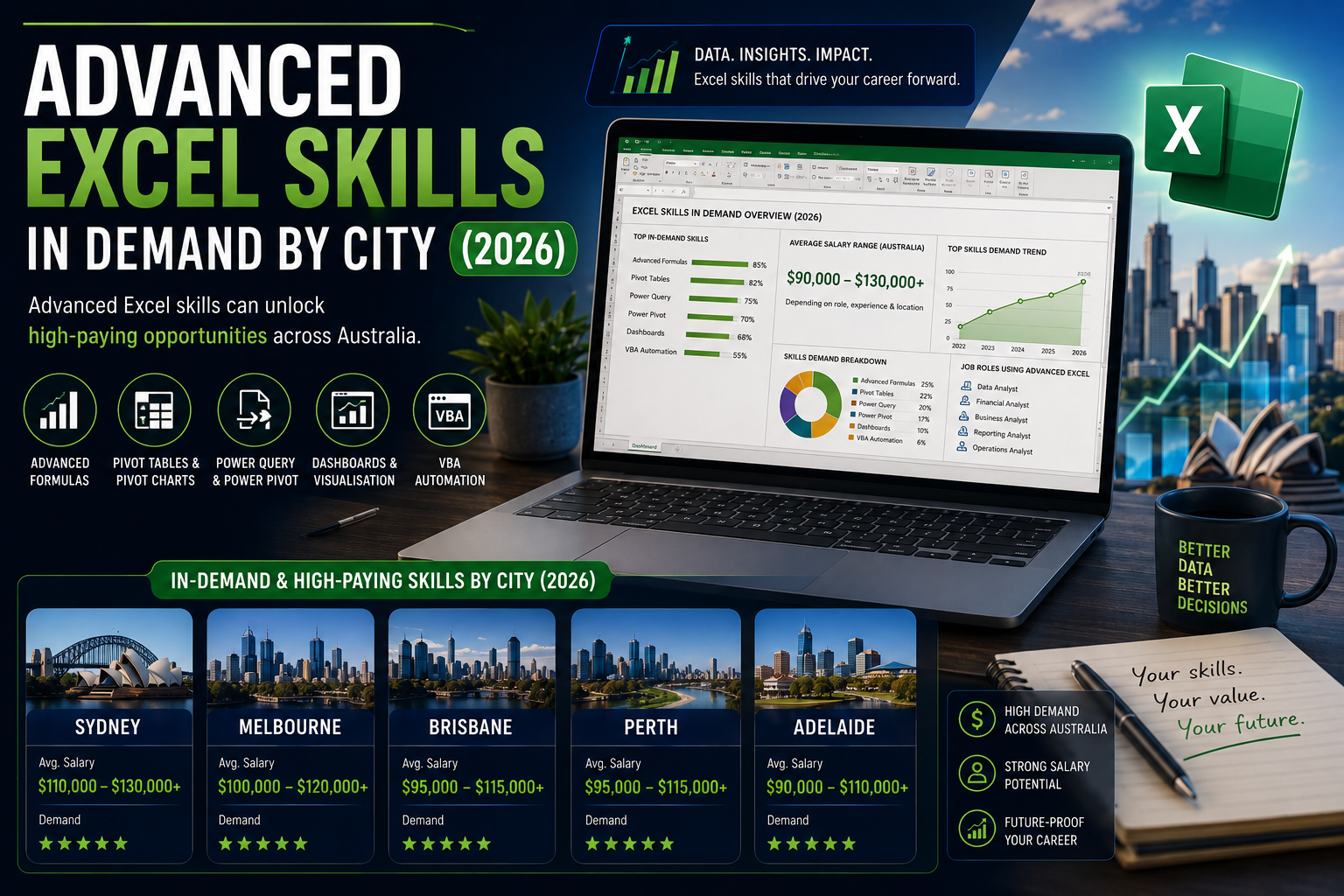
The specific skills employers emphasise shift slightly by city, depending on the dominant local industries:
| City | Industries Driving Demand | Excel Skills Emphasised |
| Sydney | Finance, banking, consulting | Advanced formulas, financial modelling, dashboards |
| Melbourne | Corporate, tech, government | Power Query, PivotTables, reporting automation |
| Brisbane | Regional business, government | Data entry accuracy, reporting, PivotTables |
| Perth | Mining, resources, energy | Cost tracking, procurement spreadsheets, macros |
| Adelaide | Healthcare, HR, recruitment | Payroll accuracy, rostering, data validation |
| Canberra | Federal government, public sector | Reporting standards, structured templates, audit trails |
Sydney and Melbourne: Finance and Reporting-Heavy Roles
Sydney and Melbourne carry the strongest demand for candidates who can combine formulas with dashboard building Sydney weighted toward finance and banking, Melbourne toward corporate and tech reporting. If you’re targeting either market, Logitrain’s Excel course is delivered live online so you can build these skills without leaving your current job.
Brisbane, Perth, Adelaide and Canberra
Brisbane and Adelaide job ads lean more toward reporting accuracy and structured data entry, Perth toward cost-tracking spreadsheets for the resources sector, and Canberra toward government-standard reporting templates. In every one of these markets, PivotTables and data validation appear consistently as baseline advanced-level expectations.
How to Learn These Advanced Excel Skills Fast
- Start with PivotTables and XLOOKUP — they show up in the widest range of Australian job ads and interview tests.
- Practise on real, messy data rather than clean tutorial spreadsheets — Power Query specifically rewards this.
- Build one complete dashboard end-to-end and keep it as a portfolio piece for interviews.
- Add a recognised certification to your resume so recruiters don’t have to take your word for it.
- If your target employer uses Power BI for team reporting, pair your Excel skills with a Power BI certification for a stronger application.
Certification Options for Advanced Excel Skills in Australia
A structured certification is the fastest way to convert self-taught knowledge into something a hiring manager can verify at a glance. Logitrain’s Excel courses cover PivotTables, advanced formulas, Power Query, and dashboard building for exactly this purpose, delivered live online across Sydney, Melbourne, Brisbane, Perth, Adelaide, and Canberra. For roles that expect Excel and Power BI side by side, the Power BI course is a natural next step, and the full Logitrain course catalogue covers adjacent certifications for candidates moving toward broader data or IT roles.
Frequently Asked Questions
What are the most in-demand advanced Excel skills in Australia in 2026?
PivotTables, XLOOKUP/VLOOKUP, Power Query, nested IF formulas, conditional formatting, and dashboard building are the advanced Excel skills Australia employers list most often in 2026 job ads.
Do I need VBA or macros to get an advanced Excel job in Australia?
Not always required, but strongly preferred for finance, operations, and admin roles with repetitive monthly reporting — even basic recorded macros are a genuine differentiator.
Is Power Query worth learning for Excel jobs in Australia?
Yes. It’s one of the fastest-growing skills listed explicitly in Australian analyst and finance job ads because it automates hours of manual data cleanup.
Which Australian city has the strongest demand for advanced Excel skills?
Sydney and Melbourne have the deepest demand overall, driven by finance, banking, corporate, and tech employers, though Perth, Brisbane, Adelaide, and Canberra all show consistent demand for PivotTables and reporting-focused skills.
Final Thoughts
The gap between a basic Excel user and a genuinely job-ready candidate in Australia in 2026 comes down to a short, specific list: PivotTables, XLOOKUP, Power Query, and the ability to turn all three into a clean dashboard. Build advanced Excel skills Australia employers are actively hiring for through Logitrain Excel courses, available live online across every major city.