


Most professionals working in Australia today are expected to have decent Excel skills in Australia, no matter how the job description is worded. Whether the role is based in Sydney, Melbourne, Brisbane, Perth, Adelaide, Canberra, Hobart, Darwin or the Gold Coast, employers routinely assume you can handle spreadsheets, build formulas, run reports and make sense of data without much hand-holding.
The trouble is, most people genuinely aren’t sure where they sit. Am I beginner, intermediate or advanced in Excel? It’s one of the most common questions we hear from job seekers and career changers alike.
This guide breaks down each Excel skill level in plain terms, so you can work out exactly where you stand and choose the right Excel course to move your career forward.
Why Excel Skills in Australia Matter for Your Career
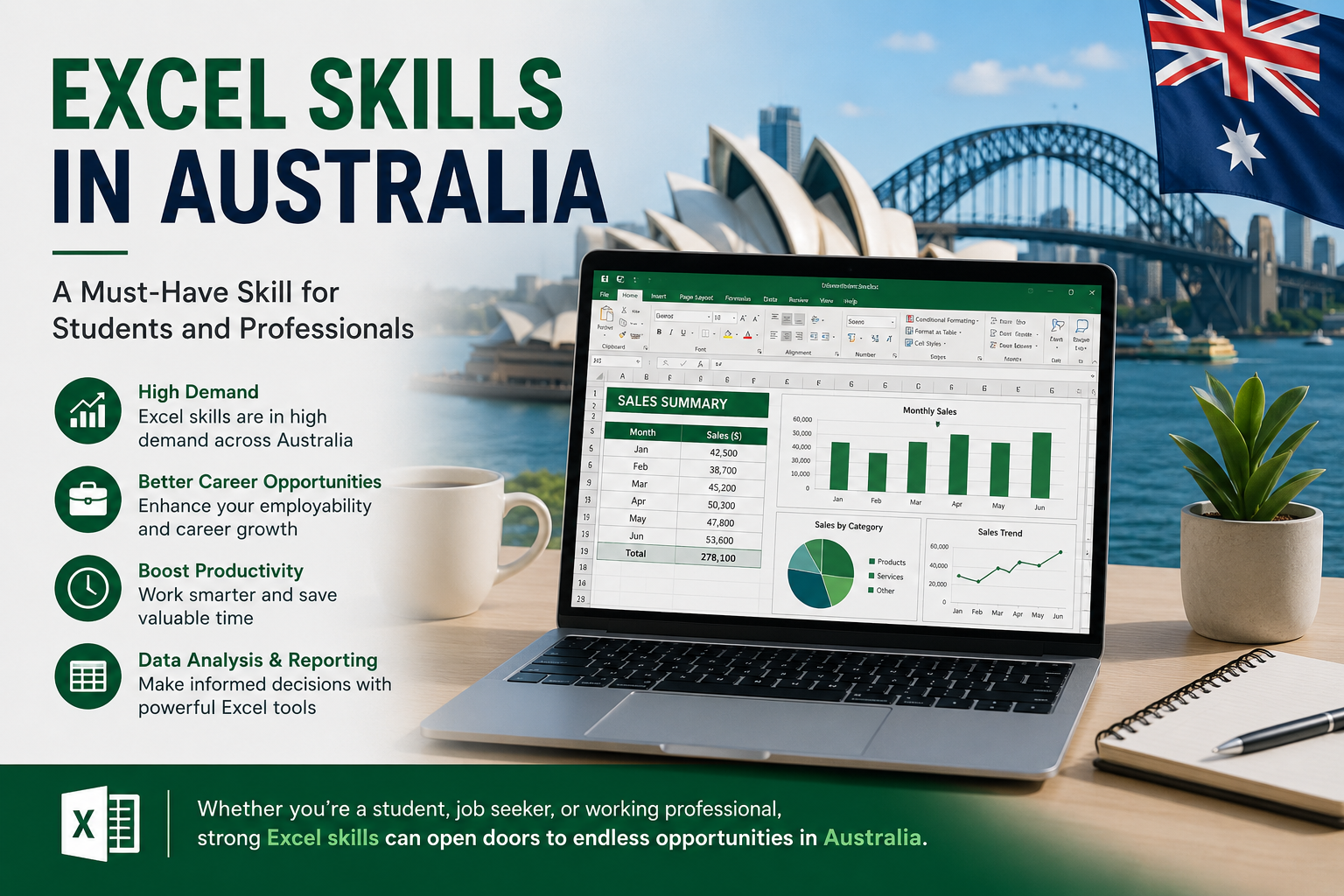
Excel turns up in almost every corner of the Australian workplace admin, finance, accounting, HR, sales, operations, education, healthcare, even project management. It’s one of those tools that quietly underpins a huge share of daily business activity, from a simple roster spreadsheet through to a full financial model.
A solid grasp of Excel skills in Australia does more than tick a box on a job application. It helps you work faster, cut down on manual errors, and put together reports that actually make sense to whoever reads them. Most of this still happens inside Microsoft Excel, and it isn’t only for office workers either students, small business owners and career changers all benefit from knowing their way around a spreadsheet.
If you’re looking to improve your career prospects in Australia, learning Excel properly is one of the more practical places to start.
What Are Basic Excel Skills?
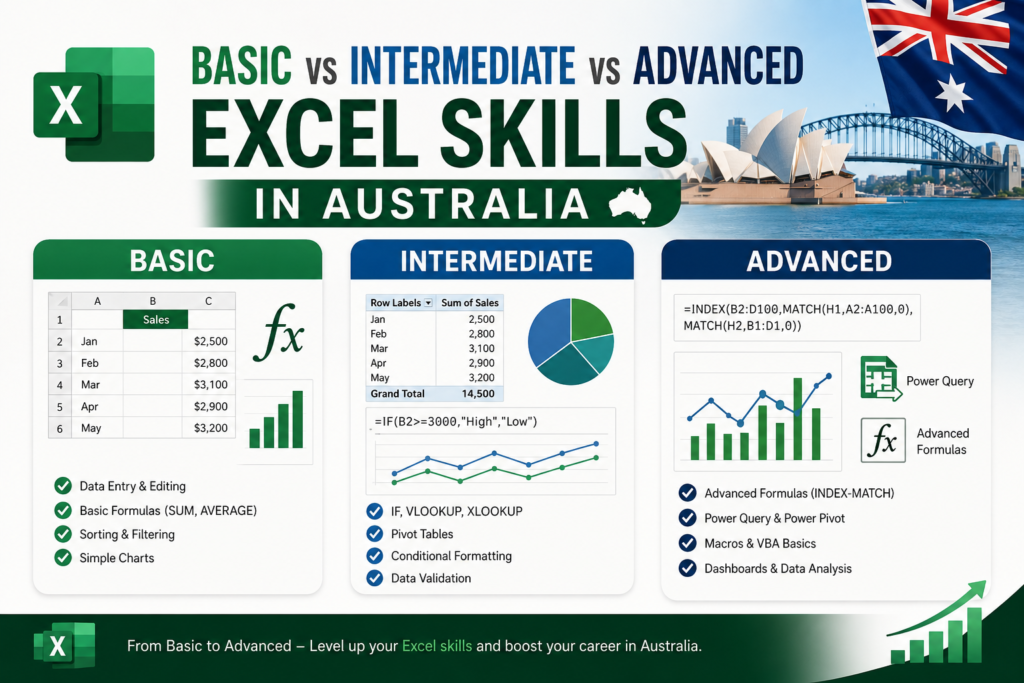
Basic Excel skills cover the fundamentals the kind of tasks you’d expect from someone who is either new to spreadsheets or has only used Excel for simple, everyday jobs.
At this level, you should be comfortable with:
- Entering data into spreadsheets
- Formatting rows and columns
- Creating simple tables
- Using basic formulas like SUM, AVERAGE, MIN and MAX
- Sorting and filtering data
- Creating basic charts
- Saving, printing and sharing Excel files
- Freezing rows and columns
- Adjusting page layout for printing
Basic Excel Skills Are Best for Beginners and Entry-Level Roles
This level suits students, receptionists, admin assistants, office support staff, retail workers, small business owners and job seekers who are just starting out whether you’re based in Sydney, Melbourne, Brisbane, Perth or anywhere else in Australia.
If spreadsheets still feel unfamiliar, our Beginner Excel Course in Australia is built to get you comfortable from the ground up.
What Are Intermediate Excel Skills?
Intermediate Excel skills are for people who already know the basics and want to work faster with formulas, reports and real-world data.
At this stage, you should be able to use:
- IF formulas
- XLOOKUP and VLOOKUP
- Conditional formatting
- Pivot tables
- Data validation
- Multiple worksheets at once
- Professional-looking charts
- Cleaning and organising messy data
- Basic dashboards
- Protected worksheets
- Removing duplicates
- Named ranges
Intermediate Excel Skills Are Ideal for Office, Admin, Finance and HR Roles
Office administrators, HR assistants, finance assistants, accounts staff, sales coordinators, project coordinators, bookkeepers and operations staff across Melbourne, Sydney, Brisbane, Adelaide, Perth and Canberra typically work at this level day to day.
If the basics are already second nature, our Intermediate Excel Course can help you build genuinely job-ready Excel skills for Australian workplaces.
What Are Advanced Excel Skills?
Advanced Excel skills come into play when you need to analyse data, automate repetitive tasks, build dashboards and manage more complex reporting.
This level includes:
- Advanced formulas
- Power Query
- Power Pivot
- Macros
- Automation
- Advanced pivot tables
- Data modelling
- Scenario analysis
- Forecasting
- Dashboard reporting
- Connecting Excel with Power BI
- Large-scale data analysis
- Business reporting
Advanced Excel Skills Are Essential for Data, Finance and Reporting Roles
Data analysts, accountants, financial analysts, business analysts, reporting specialists, project managers, operations managers and senior administrators across Sydney, Melbourne, Brisbane, Perth, Adelaide and the rest of Australia rely on these skills regularly particularly once reporting moves into Power BI for dashboards and visualisation.
If you want to automate reports, analyse data properly and build dashboards, our Advanced Excel Course in Australia is built for exactly that.
Excel Courses Available Across Australia
At Excel Courses Online Australia, our training is built for learners across the country. Whether you’re working from home, studying part-time, switching careers or simply trying to get better at your current job, you can learn Excel online from anywhere in Australia.
Excel Courses in Sydney
Sydney professionals lean on Excel for finance, administration, business reporting, data analysis and project management. Our online Excel courses help Sydney-based learners build practical spreadsheet skills they can use the same week they learn them.
Excel Courses in Melbourne
From admin and accounting to education, healthcare, retail and corporate roles, Melbourne professionals across nearly every industry benefit from solid Excel skills. Learn formulas, pivot tables, dashboards and automation at your own pace, online.
Excel Courses in Brisbane
Our Excel courses support Brisbane learners who want better productivity, cleaner reporting and genuinely job-ready data skills from your first spreadsheet through to advanced dashboards.
Excel Courses in Perth
Perth professionals working in mining, construction, finance, logistics and administration rely heavily on Excel for reporting and planning. Our training helps you manage that data with far less friction.
Excel Courses in Adelaide
Adelaide learners can build Excel skills for office work, business administration, accounting, project tracking and reporting, all through flexible online training that fits around existing commitments.
Excel Courses in Canberra
Canberra professionals in government, administration, policy, finance and project roles use Excel constantly to manage reports, analyse data and keep workflows running smoothly.
Excel Courses in Hobart
Our online Excel courses suit Hobart learners who want practical spreadsheet skills for business, study, administration or simply moving their career forward.
Excel Courses in Darwin
Darwin learners can access the same Excel training online to sharpen workplace productivity, reporting, formulas, charts and day-to-day data management.
Excel Courses in Gold Coast
Gold Coast professionals, students and small business owners can learn Excel online to get better at reporting, budgeting, planning and the everyday business tasks that eat up time.
Beginner vs Intermediate vs Advanced Excel: Quick Comparison
| Level | What You Can Do |
| Beginner Excel | You can enter data, format spreadsheets and use simple formulas. |
| Intermediate Excel | You can use IF, XLOOKUP, pivot tables, charts and data validation. |
| Advanced Excel | You can clean data, automate reports, use Power Query, build dashboards and analyse large datasets. |
How to Check Your Excel Skill Level
You Are Beginner Level If:
- You can enter data into Excel
- You can use basic formulas
- You can format cells
- You can sort and filter simple data
- You’re not yet confident with pivot tables or advanced formulas
You Are Intermediate Level If:
- You can use IF formulas
- You understand XLOOKUP or VLOOKUP
- You can create charts
- You can build pivot tables
- You can clean and organise data
You Are Advanced Level If:
- You can automate repetitive tasks
- You can use Power Query
- You can create dashboards
- You can analyse large datasets
- You can connect Excel with Power BI
- You can use macros or advanced formulas
Which Excel Course Should You Choose?
Choose Beginner Excel If You’re New to Spreadsheets
This path is for anyone who wants to learn Excel properly from the very start, without skipping the fundamentals.
Choose Intermediate Excel If You Want Better Workplace Skills
Best suited to professionals who already use Excel but want to move faster and work with more confidence.
Choose Advanced Excel If You Work with Reports and Data
Ideal for anyone who needs dashboards, automation, data analysis and proper reporting skills as part of their role.
Frequently Asked Questions About Excel Skills in Australia
What Excel skills do Australian employers look for?
Employers generally look for formulas, formatting, sorting, filtering, pivot tables, charts, reporting and data analysis skills, depending on the role.
Is basic Excel enough for office jobs?
Basic Excel may be enough for entry-level roles, but intermediate Excel skills are usually expected for admin, finance, HR and reporting jobs.
What is considered intermediate Excel?
Intermediate Excel generally includes IF formulas, XLOOKUP, pivot tables, charts, conditional formatting and data validation.
What is considered advanced Excel?
Advanced Excel covers Power Query, macros, dashboards, automation, advanced formulas, data modelling and large dataset analysis.
Can I learn Excel online in Australia?
Yes. You can learn Excel online from anywhere in Australia, including Sydney, Melbourne, Brisbane, Perth, Adelaide, Canberra, Hobart, Darwin and the Gold Coast.
Build Job-Ready Excel Skills in Australia
Excel isn’t just a spreadsheet tool sitting in the corner of Microsoft Office. It’s a practical, everyday skill that Australian businesses rely on constantly. Whether you’re a beginner, working at an intermediate level, or operating as an advanced user, sharpening your Excel skills in Australia can genuinely help you save time, work smarter and move your career forward.
If you’re not sure where you currently stand, start by identifying your Excel skill level honestly. From there, choosing the right course becomes a much easier decision.